


Buyer's guide
Xero pricing: plans, limits and the new-customer discount
What each Xero plan costs a month, what limits come with it, and how the new-customer discount gives way to the regular price.
Buyer's guide Accounting software
Manager.io has a free plan, and 4 of the 8 tools need QuickBooks or Xero beside them.
Manager.io and Digits replace QuickBooks or Xero instead of sitting on top of them. Manager.io’s desktop edition is free forever with all features, and Digits books and reconciles itself. Xero, from $27 a month, suits a business that wants staff and an accountant signed in, because every plan takes unlimited users at no extra cost.
Uncat at $9 a client a month, fileLedger by fileAI and Botkeeper at $149 a license a month work on top of QuickBooks or Xero, so a month’s real cost includes that ledger’s own bill.
On 3 November 2026 we listed 54 tools: 29 of them under Cheapest accounting software and 16 with a free plan.
Best for firms chasing clients’ uncategorized transactions: Uncat sends a firm’s clients the questions and receipt requests for their uncategorized transactions and syncs the answers back to QuickBooks or Xero, for $9 a client a month.
Price From $9 a client a month
Uncat reads the transactions sitting in ledger accounts the firm selects, asks the client about each one and syncs the answers back. Clients reply in a browser on a desktop or phone, or forward receipts by email or text message. The AI reads uploaded receipts for vendor, amount, date and line items and proposes the matching transaction, and Uncat says it also pre-labels expenses by pattern.
There is one plan at $9 a client a month, whatever the transaction count, and the AI suggestions come with it. QuickBooks or Xero bills for the ledger separately, so each client file costs that subscription plus Uncat. Firms sign up with an Intuit login or an email address and add a card when they start paying.
Uncat bills per client file. Botkeeper bills $149 a license a month for automating the bookkeeping itself. Coding expenses to items with a quantity works for QuickBooks Online clients only.
What it does well
Where it falls short
Best for capturing invoices and statements: fileLedger by fileAI’s AI agents read invoices and bank statements and post them into Xero or QuickBooks.
Price From $13 a month
fileLedger’s AI agents classify files without templates, pull line items into defined fields, match three to five related documents and route exceptions. Bills are captured, checked against rules and routed for approval before they are posted to the accounting system. No bill payment is documented.
The cheapest plan covers one agent with 250 flows, enough for a freelancer’s volume. fileAI states that model calls and tokens are never billed on top of a completed outcome. Statements are pushed into Xero’s Reconcile tab on a schedule, a path documented for Xero only.
Accounts and trials open without a call, but every Select Plan button on the fileLedger cards leads to a demo booking form. Support is English email and live chat with a person, with first replies in 24 hours or 4 hours by tier during weekday business hours.
What it does well
Where it falls short
Best for having people check the books: Bookkeeper360 puts a US-based team of people on your bookkeeping, tax and chief financial officer (CFO) work inside your own QuickBooks Online or Xero, and you reach your own accountant by phone.
Price From $400 a month
Bookkeeper360 is a service. Its team works in the client’s own QuickBooks Online or Xero file, which the client keeps and pays for. You reach your own accountant by phone, email and in-app messaging from 9 AM to 6 PM Eastern, Monday to Friday. The AI insights sit in Bookkeeper360’s own reporting software, while its team handles the bookkeeping, the tax returns and state sales tax registrations.
Its software is sold on its own for $19 a month and comes with every plan. Every bookkeeping, tax, payroll and CFO plan routes to a scheduled consultation instead of a checkout, and a setup or onboarding fee applies.
The ledger stays in your account with full audit access, so the general ledger and reports remain yours if you leave. The client portal runs in a browser and as iPhone and Android apps.
What it does well
Where it falls short
Best for sole traders paying in pounds: Sage Accounting is a full ledger that calculates value-added tax (VAT) and submits the VAT return to the UK tax authority from inside the product.
Price From about $27 a month
Sage Accounting is the general ledger itself, so there is no QuickBooks or Xero subscription to add. Bank and card accounts connect directly, and transactions import for reconciliation. Sage Copilot categorizes and reconciles payments, drafts invoice chase emails in your tone and checks the books before a VAT return. The user still completes the Self Assessment income tax return from the data it gathers.
Sage states that Copilot comes with every plan at no separate charge and that there are no hidden fees, and it names no setup charge. Plans are bought online with nothing to install, and the Canadian edition calculates the sales taxes owed to the Canadian tax authority from the entry plan up.
In Canada, support is chat in English and French from 9am to 8pm Eastern on weekdays. The UK plan table also lists telephone support.
What it does well
Where it falls short
Best for nonprofits that track funds: Xero lets the whole team and their advisor work in one ledger, with unlimited users on every plan, from $27 a month.
Price From $27 a month
Xero is the double-entry ledger itself, so the plan price is the whole accounting bill. Automatic feeds pull transactions from thousands of US banks and cards, and statement files cover banks that do not connect. Its built-in AI assistant answers questions about your own Xero figures at no extra charge, though Xero reserves the right to change that pricing.
The cheapest public plan, Early, is $27 a month after the promotion and includes bank reconciliation, Smart Document Capture and reporting. Setup help is free on every plan, and onboarding specialists come with the first 90 days. Sales tax is on all three plans, with Avalara applying the current rate to each invoice across more than 13,000 US jurisdictions.
Bills are tracked with approval roles and duplicate spotting, and standard domestic bank transfers are included in every business plan. Any report, the ledger included, can be taken out as a PDF or a spreadsheet. Country editions file UK VAT returns and lodge Australian business activity statements.
What it does well
Where it falls short
Best for keeping a full ledger for free: Manager.io keeps a full double-entry ledger for free on its installed Desktop Edition, with all features and no data limits.
Price Free, then $59 a month
Manager.io is the accounting ledger itself. You keep the books, reconcile and run the reports inside it, and an Inventory Items module tracks quantities and cost. Payment rules categorize money going out of your bank accounts automatically. Bank feeds work through a compatible bank feed provider you set up yourself, and statement files also import.
The Desktop Edition installs on Windows, Mac and Linux and is single-user and free forever. The hosted Cloud Edition is $59 a month for unlimited users and businesses, and a cloud server can be trialed for 14 days without a card.
You can download the whole business file at any time, and the portal keeps working after a subscription lapses, so the data can be reopened in the free desktop edition. Support is by email only, plus a public forum and guides, with no published hours or response time.
What it does well
Where it falls short
Best for an AI-kept ledger replacing QuickBooks: Digits replaces QuickBooks or Xero with a general ledger that its AI books and reconciles.
Price From $65 a month
Digits is the general ledger itself. Bank, card and payroll transactions arrive from more than 12,000 institutions, and the AI books and reconciles them with quality checks. Ask Digits is an AI assistant, not a person. Bill Pay reads the invoice, routes it to a person for approval and pays by bank transfer inside the same ledger.
Essentials, the plan Digits points solopreneurs to, includes bank feeds, receipts in Vault and invoicing, and Digits states that signing up carries no setup fee.
Digits collects W-9 forms and flags vendors eligible for a 1099, but the filing happens in tax software. Reports export to Excel, and a tax package exports for your preparer. Support is by email and a web form only.
What it does well
Where it falls short
Best for firms licensing bookkeeping per client: Botkeeper licenses bookkeeping automation to accounting firms at $149 a license a month, and its machine learning posts a transaction unattended only when its confidence is high enough.
Price From $149 a license a month
Botkeeper’s machine learning gives each transaction a confidence score, posts it unattended only when that score is high enough and learns from every correction. Smart Connect links straight to the client’s bank and card accounts and fetches the statements used for reconciliation. Botkeeper’s own accountants are available as a paid add-on.
A license costs $149 a month, and the automation modules come with it without metering. The client’s books stay in QuickBooks Online or Xero, paid for separately, and clients on neither qualify only for a cut-down Lite license. Standard onboarding comes at no charge, and Enhanced or Premium onboarding costs extra.
Live chat reaches your own customer service rep from 9am to 5pm Monday to Friday, with email and a ticket queue as well. It runs in a browser, and Botkeeper says the platform is not built for a small screen.
What it does well
Where it falls short
Price on the maker's page
Source: Each vendor’s pricing page, read between 27 October 2026 and 28 October 2026.
Xero starts from $27 a month. fileLedger by fileAI posts into a ledger you pay for separately, while Digits is the ledger itself.
“The accounting data you put into your cloud server is yours. You can download all of it at any time, and we suggest you do so before you cancel or delete anything.”
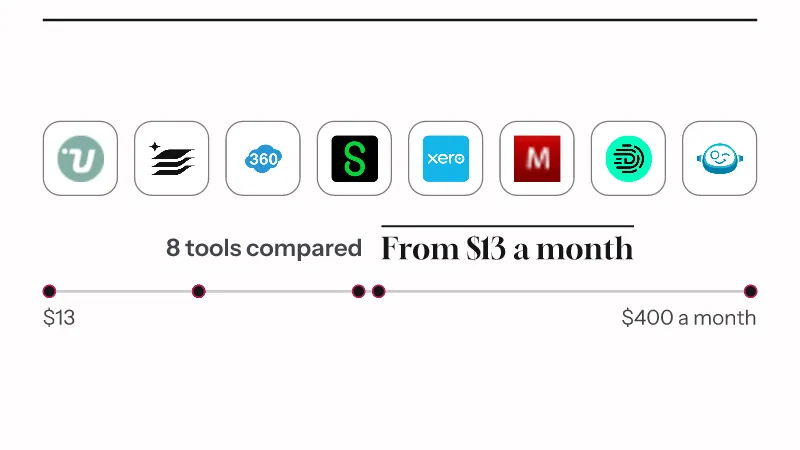
We compared 8 tools on price, free plan and 51 questions about what they do, reading each vendor’s pricing page and product pages between 26 October 2026 and 2 November 2026. We did not sign up for or run any of them. The list runs from the lowest starting price up, and tools without a public price come last. The median, the cheapest and the dearest plan are taken over the 5 picks priced in US dollars a month, so their prices compare directly.
Each figure was taken on 2 November 2026 from 8 tools. See how we tick a price and every price move we’ve ticked.
For a full ledger at no cost, Manager.io has a free plan. fileLedger by fileAI posts into Xero or QuickBooks. Of the 8 tools, 4 are ledgers themselves: Sage Accounting, Xero, Manager.io and Digits. Add the ledger’s own price before comparing a tool that sits on top of one.
You do with 4 of the 8: Uncat, fileLedger by fileAI, Bookkeeper360 and Botkeeper. Uncat syncs with QuickBooks Online, QuickBooks Desktop or Xero, and fileLedger by fileAI exports into your own connected Xero organization. Botkeeper keeps a client’s books in QuickBooks Online or Xero, paid for separately, and clients on neither qualify for a cut-down Lite license.
Yes. Manager.io has a free plan: its installed desktop edition is free forever with all features and no data limits, and its cloud server can be trialed for 14 days without a card. Botkeeper has no free plan.
You can with Xero, Manager.io and Digits, 3 of the 8. Manager.io lets you download the whole business file at any time and reopen it in the free desktop edition after a subscription lapses. Xero exports any report, the ledger and balance sheet included, as a PDF or a spreadsheet. Digits exports reports and financial statements to Excel and a tax package for a preparer, but describes no single full general-ledger dump.
Sage Accounting, Xero and Manager.io calculate sales tax, 3 of the 8. Digits does not: sales tax can be recorded as a transaction in the ledger, but working out rates and where you owe it happens elsewhere. Your accountant can tell you which rates apply to your business.
At Bookkeeper360 a person does: a dedicated US-based accountant keeps the books and walks through them with you each month. Uncat supplies no bookkeepers and leaves approval to an accountant on your side. fileLedger by fileAI sends exceptions to your own team when a validation rule fails. Digits runs automated quality checks and routes uncertain items to a Checklist, and for a licensed reviewer you hire a firm from its partner directory.
It depends on the tool: Sage says customer product data is analyzed together with other customers’ data to train AI models, with no opt-out for anonymized product data. Manager.io states the accounting data in your cloud server is not used to train anything. fileLedger by fileAI does not use document content or account data to train AI models without explicit consent. Digits never uses customer data to train external models, but it trains its own in-house accounting models and publishes no opt-out.
This spot is open
All 13 accounting software tools
First paid plans from $19 to $88.59 a month.
Buyer's guide
What each Xero plan costs a month, what limits come with it, and how the new-customer discount gives way to the regular price.
Buyer's guide
First decide whether the AI should keep the ledger itself, as Digits and FreeAgent do, or feed QuickBooks or Xero with bills, receipts and payments.
Buyer's guide
Match the ledger to the country you file in first, then compare what the AI books on its own, whether your history moves across and who checks it.
Comparison
FreeAgent suits UK sole traders and company directors filing their own tax returns; Zoho Books suits US businesses and owners running several companies.