


Changed since our last check
Since we checked on .
- What the price is based on: Yes, now Partly.
- Platforms: Yes, now Partly.
- Australia: Yes, now Partly.
What it costs
A month of books at 100 transactions
$40
a month at 100 transactions, on Bank Statement Agent — Lite, on Xero Early
- Bank Statement Agent — Lite, on Xero Earlyfile.ai$13
- Xero Early$27
- Added up$40
Checked against the maker's own pages, 28 October 2026.
fileLedger by fileAI price and plans
Prices excluding tax, as fileLedger by fileAI publishes them.
Bank Statement Agent — Lite, on Xero Early
$13 a month
- Flat fee
- Needs Xero Early, $27 a month
Bank Statement Agent — Lite, on QuickBooks Online Simple Start
$13 a month
- Flat fee
- Needs QuickBooks Online Simple Start, $38 a month
Bank Statement Agent — Standard, on Xero Early
$24 a month
- Flat fee
- Needs Xero Early, $27 a month
Purchase-to-Ledger Agent — Lite, on Xero Early
$13 a month
Keeps no full set of books
- Flat fee
- Needs Xero Early, $27 a month
Purchase-to-Ledger Agent — Standard, on Xero Early
$43 a month
Keeps no full set of books
- Flat fee
- Needs Xero Early, $27 a month
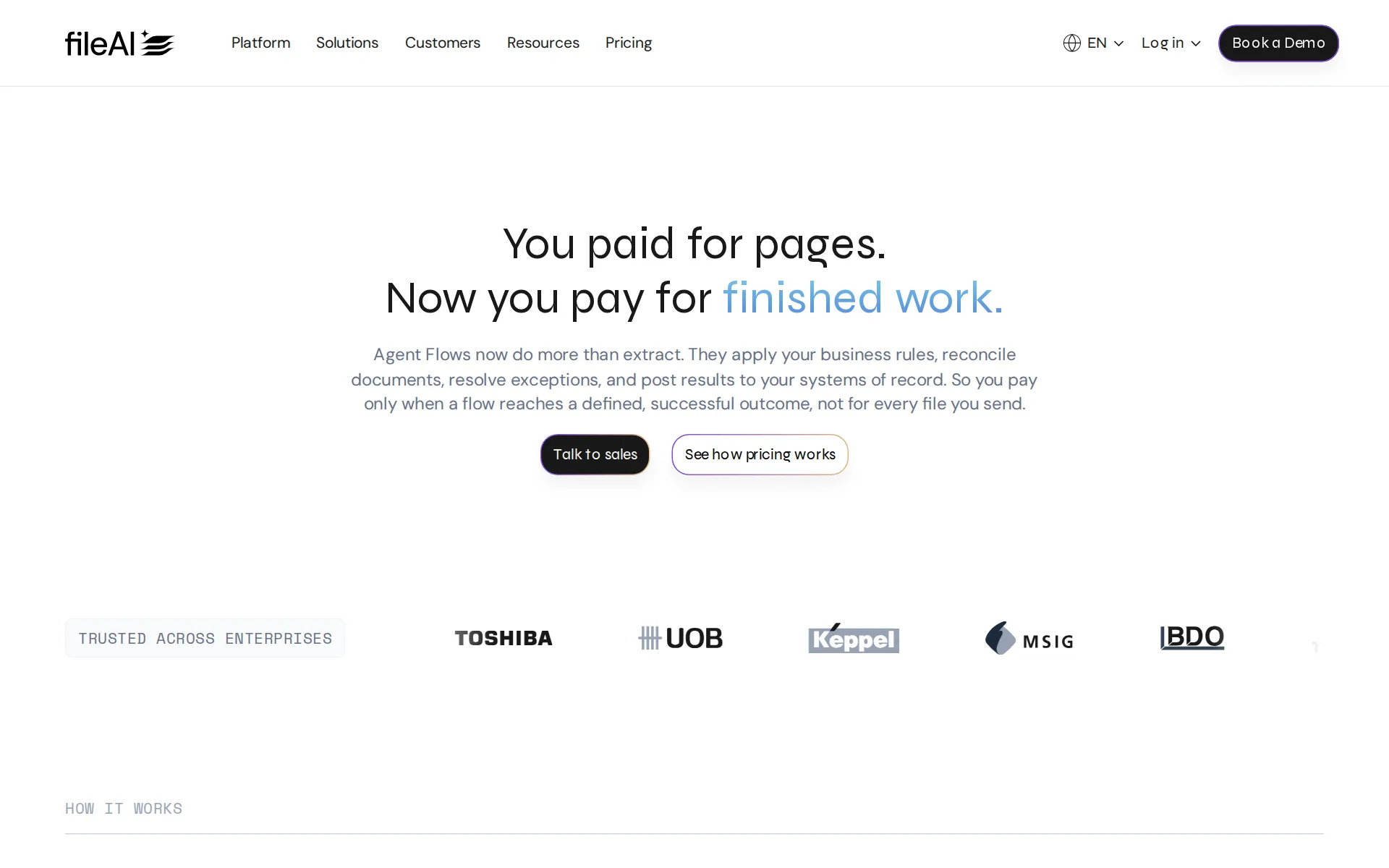
Pricing page, captured
file.ai/platform/fileledger, checked
What fileLedger by fileAI costs at your volume
| Transactions a month | Cost | Plan |
|---|---|---|
| 100 transactions | $40 a monthon Bank Statement Agent — Lite, on Xero Early | Bank Statement Agent — Lite, on Xero Early |
| 500 transactions | $40 a monthon Bank Statement Agent — Lite, on Xero Early | Bank Statement Agent — Lite, on Xero Early |
What we checked on fileLedger by fileAI
Cost at 100 transactions a month
$40 a month on Bank Statement Agent — Lite, on Xero Early for 100 transactions. Includes Xero Early at $27 a month, which Bank Statement Agent — Lite, on Xero Early needs.
$13USD per month 50 flows a month
file.ai/platform/fileledgerChecked
Cost at 500 transactions a month
$40 a month on Bank Statement Agent — Lite, on Xero Early for 500 transactions. Includes Xero Early at $27 a month, which Bank Statement Agent — Lite, on Xero Early needs.
On the page: fileLedger subscription plans, Bank Statement Agent selected, Lite card
file.ai/platform/fileledgerChecked
Cost for a solo freelancer
The cheapest published plan is $13 a month for one agent with 250 flows, which covers a freelancer's volume, but the Xero or QuickBooks subscription that holds the books is paid separately.
$13USD per month 250 flows a month
file.ai/platform/fileledgerChecked
Promotion and regular price
none: the plan cards show $13 and $43 a month as standing prices, with no promotional rate, countdown or struck-through figure; a 2026 launch offer that doubled the allowance closed on 31 August 2026.
Sign up for our standard plan before August 31st 2026 and we’ll double your page allowance
Ledger included
The plans buy document capture and posting only; each plan names Xero and QuickBooks as integrations, and the vendor's docs describe exporting into your own connected Xero organization.
The Xero export integration connects a Xero organization to fileAI so you can send extracted financial data straight into Xero.
What the price is based on
fileLedger is a flat monthly fee per agent with a monthly allowance of completed flows, while the underlying platform meters per page and per completed run.Was Yes before our last check.
Each plan covers one agent. You can add more agents later from billing.
file.ai/platform/fileledgerChecked
Users included
Every fileLedger plan lists unlimited users, and the billing documentation repeats that no limit applies to users or workspaces, so extra seats carry no stated cost.
On the page: fileLedger subscription plans, 'Every plan includes' list on the Lite and Standard cards
file.ai/platform/fileledgerChecked
Past your plan’s limits
When the allowance runs out in the app, processing continues through a one-time or automatic top-up, but no price per extra flow past a plan's monthly allowance is published.
Keep processing by either: making a one-time top-up, or turning on automatic top-ups so your balance stays active.
docs.file.ai/account/billingChecked
Catching up past months
A published customer account describes year-end catch-up as a single bulk upload with duplicates discarded free of charge, so catch-up consumes plan flows rather than a separate fee, but no catch-up service or price is offered.
For year-end catch-ups, clients drop their files into a shared folder. The accountant downloads the folder in full and uploads it to fileAI as a…
Notice before a price rise
The self-serve subscription terms promise at least 30 days' notice before any fee increase takes effect, and allow canceling before the renewal date instead.
fileAI may change Subscription Fees at renewal. We’ll give you at least 30 days’ notice before any increase takes effect.
file.ai/legal/legal-termsChecked
What the AI does
AI agents classify files without templates, pull line items into defined schemas, match three to five related documents and route exceptions, on every published plan.
AI agents capture and reconcile your data with audit-ready accuracy, so your finance team spends less time on data entry and more on analysis.
file.ai/platform/fileledgerChecked
What the AI costs
included: the AI extraction and validation is what the monthly plan buys, and the vendor states model calls and tokens are never billed on top of a completed outcome.
Technical failures, duplicates fileAI caused, reruns fileAI triggered, and tokens and model calls are never billed.
file.ai/pricingChecked
Categorizes transactions
Every plan lists automated account-code tagging, and the vendor says teams feed business rules back in plain language so extraction and validation sharpen over time.
Automated GL code tagging
file.ai/platform/fileledgerChecked
Reconciles your accounts
It matches three to five related documents and feeds statement lines into Xero's Reconcile tab, but the vendor states reconciliation itself still happens in Xero with a person confirming matches.
it doesn’t change how reconciliation works, and it isn’t a fully automated “set and forget and never look at it again” system
Reads receipts and bills
Receipts can be uploaded, emailed or captured on a phone and classified line by line against policy, but the Expense Report Agent that packages this work is marked coming soon on the plan picker.
Upload receipts, invoices, expense reports, and card statements directly or by email and mobile capture. Classify each line item by category and cost…
file.ai/platform/fileledgerChecked
Pays your bills
Bills are captured, validated against rules and routed for approval before being posted to the accounting system, but no payment execution or bank disbursement is documented.
Post approved entries into your accounting system. Route exceptions to the required approver.
file.ai/platform/fileledgerChecked
Sends invoices
Sales invoices captured by fileAI export straight into a connected Xero organization, so sending and chasing them stays in Xero; no payment-to-invoice matching is documented.
Sales invoices Exported directly to your connected Xero organization.
People check the books
Review is built into the product for your own staff: exceptions route to the customer's team when a validation rule fails, and no vendor-side bookkeeper checks the work.
fileLedger comes with a built-in review UI, and here’s the key bit: exceptions route to your team when a validation rule or checklist item fails
Your own bookkeeper
The only dedicated people fileAI offers are an account management or customer success team on the Enhanced support tier; the enumerated dedicated resources include no bookkeeper or accountant.
Enhanced customers are assigned a dedicated Account Management (AM) or Customer Success Management (CSM) team as their primary relationship contact…
file.ai/legal/support-policyChecked
Your accountant can sign in
Unlimited users on every published plan means an outside accountant or bookkeeper can be invited from Settings and Members at no additional per-seat cost.
On the page: fileLedger subscription plans, 'Every plan includes' list, Standard card
file.ai/platform/fileledgerChecked
Accuracy the vendor claims
Marketing claims audit-ready and high accuracy, and one customer page claims 90% time saved, while the documentation concedes mistakes happen and no measurement method is published.
fileAI is built to extract accurately, but like any AI system it can make mistakes.
docs.file.ai/faqsChecked
Xero
Both Lite and Standard plans name Xero and QuickBooks integrations, and the docs detail the Xero connection in full
Xero, Quickbooks integration
file.ai/platform/fileledgerChecked
QuickBooks Desktop
nothing documents QuickBooks Desktop or NetSuite support.
On the page: fileLedger subscription plans, Purchase-to-Ledger Lite card, Outcome list
file.ai/platform/fileledgerChecked
NetSuite
nothing documents QuickBooks Desktop or NetSuite support.
On the page: fileLedger subscription plans, Purchase-to-Ledger Lite card, Outcome list
file.ai/platform/fileledgerChecked
Bank and card feeds
Transactions come from statements fileAI reads and pushes into Xero's Reconcile tab on a schedule, not from a direct connection to the bank, and the feed path is documented for Xero only.
fileAI reads your bank statement (PDF, CSV, any format your bank sends), extracts every transaction accurately, and delivers it directly into your…
Stripe
The documented connector list runs to file stores, email, Xero, the API and the MCP server, leaving Stripe, Shopify, PayPal, Square and Gusto outside what the vendor says it connects to.
Yes. fileAI connects with: Google Drive and Google Sheets, Dropbox, OneDrive, Email, Xero (Xero export), The API and the MCP server
docs.file.ai/faqsChecked
Shopify
The documented connector list runs to file stores, email, Xero, the API and the MCP server, leaving Stripe, Shopify, PayPal, Square and Gusto outside what the vendor says it connects to.
On the page: FAQ entry 'Can I connect fileAI to my existing tools?'
docs.file.ai/faqsChecked
PayPal
The documented connector list runs to file stores, email, Xero, the API and the MCP server, leaving Stripe, Shopify, PayPal, Square and Gusto outside what the vendor says it connects to.
On the page: FAQ entry 'Can I connect fileAI to my existing tools?'
docs.file.ai/faqsChecked
Square
The documented connector list runs to file stores, email, Xero, the API and the MCP server, leaving Stripe, Shopify, PayPal, Square and Gusto outside what the vendor says it connects to.
On the page: FAQ entry 'Can I connect fileAI to my existing tools?'
docs.file.ai/faqsChecked
Gusto payroll
The documented connector list runs to file stores, email, Xero, the API and the MCP server, leaving Stripe, Shopify, PayPal, Square and Gusto outside what the vendor says it connects to.
On the page: FAQ entry 'Can I connect fileAI to my existing tools?'
docs.file.ai/faqsChecked
Payroll
none: payroll is absent from the agent list, the plan features and the documented connector inventory, which names file stores, email, Xero, the API and the MCP server.
On the page: FAQ entry 'Can I connect fileAI to my existing tools?'
docs.file.ai/faqsChecked
Platforms
web: the app runs in a browser at orion.file.ai, and expenses can be submitted through a mobile-friendly app and mobile capture, while no Windows, Mac, iOS or Android application is named.Was Yes before our last check.
Go to orion.file.ai and click Sign Up.
Getting your books out
Extracted data downloads as XLSX, XLS, CSV, JSON or PDF and customer data can be exported within 30 days of termination, but the books themselves live in Xero or QuickBooks.
you may request export of Customer Data within 30 days of termination, after which fileAI may delete it
file.ai/legal/legal-termsChecked
Calculates sales tax
Exports apply the tax codes a customer configures for the integration so the same mapping repeats, but no tax rate calculation or state-by-state liability tracking is described.
Exports use the accounts, tax codes and tracking categories you have configured for the integration, so the same mapping is applied every time.
Other currencies
A currency is chosen when a bank feed is set up, and over 200 languages are handled, but no page describes invoicing or keeping accounts in several currencies at once.
Pick a currency and start date for the feed to begin, and toggle sync schedule and auto-export settings.
file.ai/platform/fileledgerChecked
Profit by project or job
Exports carry the tracking categories configured for the integration, and expense lines are classified by cost center, so project reporting happens in the accounting system rather than here.
Classify each line item by category and cost center.
file.ai/platform/fileledgerChecked
SOC 2 report
The trust center lists SOC 1 and SOC 2 compliance with a SOC 1 and SOC 2 Type II audit status letter from Sensiba dated October 2026, available by requesting access.
SOC 1 & SOC 2 Type II Audit Status Letter (Sensiba, Oct 2026)
trust.file.aiChecked
Your data trains AI
The privacy policy states document content and account data are not used to train AI models without explicit consent; only non-identifying usage and aggregated data may do so.
Usage Data and Aggregated Data (non-identifying) may train AI models. Personal account data or document content is not used to train AI models…
file.ai/legal/privacy-policyChecked
For accounting firms
The product is addressed to bookkeepers and accounting firms and supports several accounting connections for different clients, but no firm-specific pricing, client dashboard or white-label branding is published.
Whether you’re a two-person bookkeeping firm or a multinational accounting firm, fileLedger flexes to fit. Need multiple ERP or accounting…
Several businesses
Billing is per processed volume with no limit on workspaces or users, so several entities can be kept apart, but no page states what a second entity or Xero organization adds to the bill.
fileAI bills for what you process, with no limits on users or workspaces.
docs.file.ai/account/billingChecked
Australia
Sold internationally from Singapore with a US entity, Americas business hours and regional hosts for Australia, Singapore and Japan no page claims US, Canadian, UK or Australian tax or bank coverage.Was Yes before our last check.
If a customer’s billing address in the applicable Order Form is located in the Americas, “Business Hours” means Monday through Friday, 9:00 AM to…
file.ai/legal/support-policyChecked
Free trial or free plan
New self-serve workspaces start on a trial and developer accounts get $7 of credit, roughly 460 pages, but no standing free plan is published for fileLedger.
New self-serve workspaces start on a trial so you can try fileAI before you commit.
docs.file.ai/account/billingChecked
Sign up without a sales call
Accounts and trials are created without a call and the terms describe a self-serve subscription channel, yet every Select Plan button on the fileLedger cards leads to the demo booking form.
These Subscription Terms apply when you create a fileAI account and subscribe to our services through our self-serve channel.
file.ai/legal/legal-termsChecked
Contract and cancelling
Monthly and annual terms both renew automatically, and stopping renewal needs at least 30 days' notice through account settings or support, with fees already paid non-refundable.
You may (a) stop renewal, or (b) change your Pricing Plan effective from your next renewal date, in either case by giving at least 30 days’ notice…
file.ai/legal/legal-termsChecked
Support
English email and in-platform live chat reach a person, with first replies in 24 hours or 4 hours by tier during weekday business hours; no telephone channel is listed.
Both tiers include access to the fileAI Knowledge Base, English-language email support, live chat, and proactive platform alerts.
file.ai/legal/support-policyChecked
fileLedger by fileAI alternatives
All 9 alternatives6 more alternatives
6 of the 9 publish a price.
- Booke AINo list priceAn AI bookkeeper that works inside QuickBooks Online and Xero to categorize transactions and match documents.
- PilotNo list priceA bookkeeping and tax service for startups that pairs software-driven dashboards with human financial advisors.
- SimpleAIFrom $79 a monthAI agents that extract, classify and reconcile accounting documents, then publish them into Xero or QuickBooks.
- ExpensifyFree, then $5 a seat a monthReceipt scanning, company cards, bill pay and reimbursements that feed QuickBooks, Xero or NetSuite.


Sources and changes
Last changed
Sources15
- file.ai/platform/fileledger
- docs.file.ai/faqs
- file.ai/legal/legal-terms
- docs.file.ai/account/billing
- docs.file.ai/deliver/xero-export
- file.ai/blog/meet-fileledger-the-most-advanced-ai-bookkeeping-solution-on-the-market
- file.ai/legal/support-policy
- file.ai/blog/fileai-xero-bank-feeds
- trust.file.ai/
- docs.file.ai/account/workspace-setup
- docs.file.ai/authentication
- docs.file.ai/concepts
- file.ai/customers/yh-digital-bookkeeping
- file.ai/legal/privacy-policy
- file.ai/pricing
What changed on this page2
- Bookkeeping features, free plan, terms
- Bookkeeping features, free plan, plan limits, prices, terms
Is this yours?
Make it yours for free, then check who reads this page, marked as verified. You confirm it with an email at file.ai.
Report an error if a fact is wrong.