
What it costs
A month of books at 100 transactions
$97
a month at 100 transactions, on 25+ Licenses, on QuickBooks Online Simple Start
- 25+ Licenses, on QuickBooks Online Simple Startbotkeeper.com$59
- QuickBooks Online Simple Start$38
- Added up$97
Checked against the maker's own pages, 28 October 2026.
Botkeeper price and plans
Prices excluding tax, as Botkeeper publishes them.
1 - 4 Licenses, on QuickBooks Online Simple Start
$149 per user a month
- Flat fee
- Needs QuickBooks Online Simple Start, $38 a month
5 - 9 Licenses, on QuickBooks Online Simple Start
$109 per user a month
- Flat fee
- Needs QuickBooks Online Simple Start, $38 a month
10 - 24 Licenses, on QuickBooks Online Simple Start
$79 per user a month
- Flat fee
- Needs QuickBooks Online Simple Start, $38 a month
25+ Licenses, on QuickBooks Online Simple Start
$59 per user a month
- Flat fee
- Needs QuickBooks Online Simple Start, $38 a month
1 - 4 Licenses, on Xero Early
$149 per user a month
- Flat fee
- Needs Xero Early, $27 a month
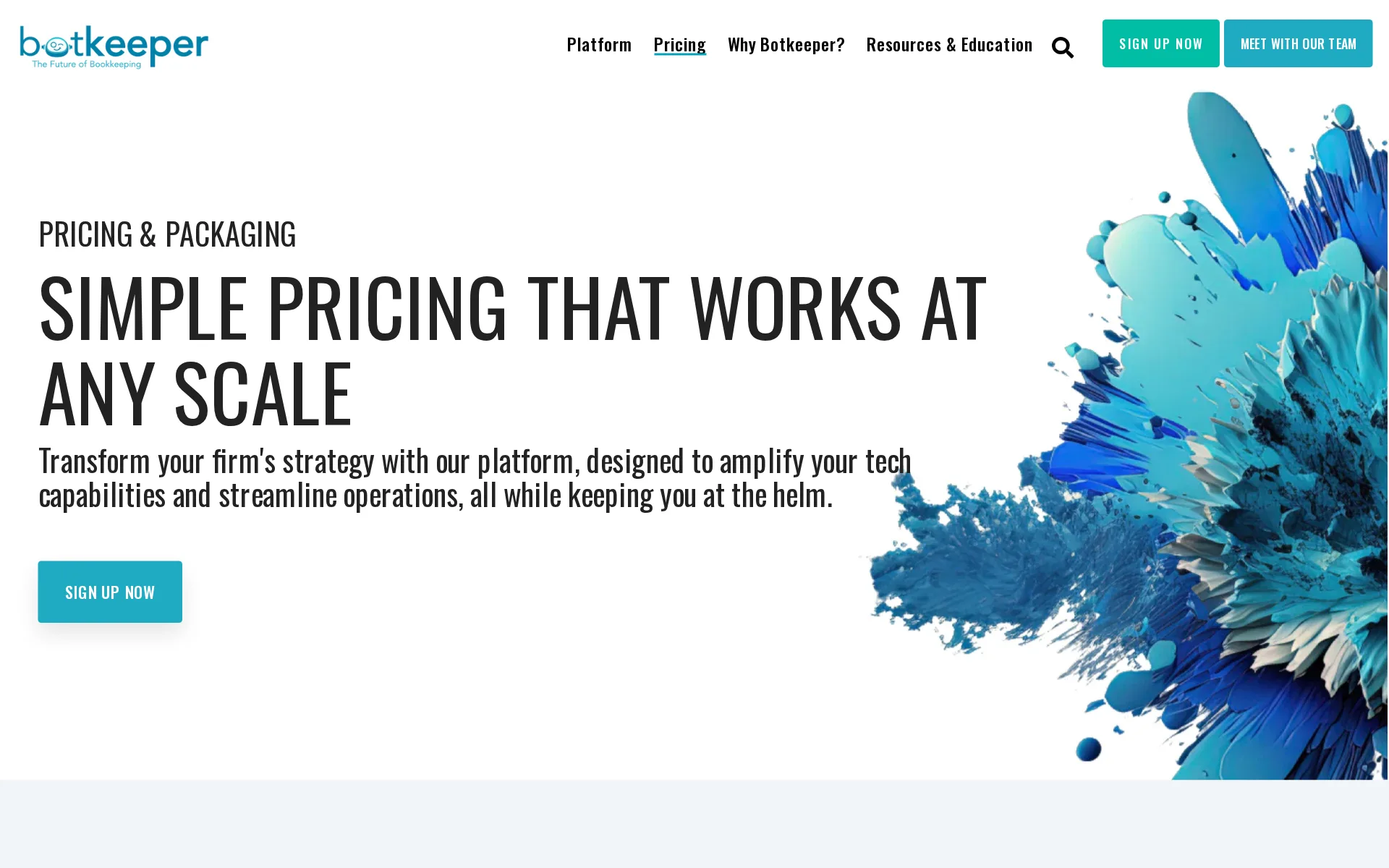
Pricing page, captured
botkeeper.com/pricing, checked
What Botkeeper costs at your volume
| Transactions a month | Cost | Plan |
|---|---|---|
| 100 transactions | $97 a monthon 25+ Licenses, on QuickBooks Online Simple Start | 25+ Licenses, on QuickBooks Online Simple Start |
| 500 transactions | $97 a monthon 25+ Licenses, on QuickBooks Online Simple Start | 25+ Licenses, on QuickBooks Online Simple Start |
What we checked on Botkeeper
Cost at 100 transactions a month
$97 a month on 25+ Licenses, on QuickBooks Online Simple Start for 100 transactions. Priced per user: 1 user at $59 each. Includes QuickBooks Online Simple Start at $38 a month, which 25+ Licenses, on QuickBooks Online Simple Start needs.
25+ Licenses $59 per license/mo
botkeeper.com/pricingChecked
Cost at 500 transactions a month
$97 a month on 25+ Licenses, on QuickBooks Online Simple Start for 500 transactions. Priced per user: 1 user at $59 each. Includes QuickBooks Online Simple Start at $38 a month, which 25+ Licenses, on QuickBooks Online Simple Start needs.
On the page: Plan cards, 25+ Licenses column, price with the billing control set to Billed Monthly
botkeeper.com/pricingChecked
Promotion and regular price
yearly shown monthly: the plan cards open with the annual-billed rate of $134 per license a month, and the month-to-month rate of $149 only appears once you flip the control to Billed Monthly.
Billed Annually (Save 10%)
botkeeper.com/pricingChecked
Ledger included
The license does not include a ledger: your client's books stay in QuickBooks Online or Xero, which the firm or client pays for separately, and clients on neither only qualify for a cut-down Lite license.
Some entities may qualify for a Lite license, which are typically used for clients that don’t run on QuickBooks Online or Xero and aren’t eligible…
What the price is based on
Priced per license, and one license covers one client entity, with the per-license rate falling as the firm commits to more licenses.
1 license = 1 client
botkeeper.com/pricingChecked
Catching up past months
Catch-up and cleanup of past months is done by a dedicated accountant, which is an add-on needing at least ten licenses, and its price is agreed in writing rather than published.
Can Dedicated Accountants support cleanup or catch-up work? Yes—check with your CS rep for more information on how this works.
What the AI does
Machine learning categorizes each transaction with a confidence score and posts it to your books unattended only when confidence is high enough, and it keeps learning from every correction.
Botkeeper's machine learning modules use a combination of historical data and macro data to intuitively auto-categorize your clients' transactions.
What the AI costs
included: the automation modules that do the categorizing, reconciling and month-end review come with every license at no separate charge and are not metered.
Each license includes access to Smart Connect, GL Auto, Auto Bank Recs, Firm Insights, and more!
Categorizes transactions
It categorizes transactions by itself and posts them when it is at least 98 percent confident; anything below that is surfaced for you, and your answer trains it for next time.
The platform informs you of transactions it's unable to categorize with 98% confidence. You can then review and categorize the transaction, training…
Reconciles your accounts
Auto Bank Rec pulls transactions off the statement, compares them with your books, grades each difference and produces a reconciliation report once you finalize it.
Auto Bank Rec extracts transactions from statements and compares them to what’s in your clients' Smart Connect/General Ledger. Any outliers that…
Reads receipts and bills
Receipts can be uploaded and stored against a client in the Documents module, but attaching them to the matching transaction in the ledger is work a dedicated accountant does, not something the platform claims to do by itself.
Document Attachment Attaching supporting documentation, such as receipts and statements, to transactions within QuickBooks Online (QBO) or Xero for…
Pays your bills
A dedicated accountant can enter bills and route them for approval, but paying them is explicitly out of scope, and the vendor says access problems stop it working in the bill-pay tool at all.
No Bill Pay: Liability and access issues prevent us from working in bill.com. We can APPLY payments, (i.e. payment matching), however.
Accrual books and reports
The vendor states it keeps books on either basis for every package, and the monthly profit and loss, balance sheet and cash flow statements are drafted for review.
Yes! Botkeeper supports bookkeeping on a cash and accrual basis for all of our packages.
People check the books
Entries the machine is confident about post without a person, and anything below the confidence bar goes to a Botkeeper accountant who categorizes it and, if still unsure, asks your firm.
If the confidence level of the machine falls below 98%, a Botkeeper Accountant will review, apply critical thinking, and attempt to categorize the…
Your own bookkeeper
A named accountant who learns your workflows is available, but only as a paid add-on and only to firms already paying for at least ten licenses.
No—Dedicated Services is only available as an add-on to the Botkeeper platform. Firms must maintain at least 10 active licenses to access it.
Your accountant can sign in
Your firm invites firm users and client users and sets their permissions itself, and the bill is counted in client entities rather than in the people you let in.
Within the tool, you can invite, define roles, and set permissions at both the firm and client levels.
Accuracy the vendor claims
The vendor claims 97 percent accuracy on the entries its AI posts unattended, and a 98 percent confidence bar below which a person steps in; neither page says how the figure was measured.
Our AI posts directly to the GL only when confidence is high—delivering 97% accuracy on those entries. Anything lower gets surfaced for your review.
botkeeper.comChecked
QuickBooks Online
Only QuickBooks Online and Xero are supported, each with a two-way sync
We currently support QuickBooks Online and Xero. Compatibility with additional general ledgers is being reviewed by our Product team.
Xero
Only QuickBooks Online and Xero are supported, each with a two-way sync
On the page: Article heading and body
QuickBooks Desktop
QuickBooks Desktop and NetSuite are outside that list, and clients on anything else drop to a Lite license with no transaction processing.
On the page: Article heading and body
NetSuite
QuickBooks Desktop and NetSuite are outside that list, and clients on anything else drop to a Lite license with no transaction processing.
On the page: Article heading and body
Bank and card feeds
Smart Connect links straight to the client's bank and card accounts, handles the security codes itself, and also fetches the statements used for reconciliation.
It creates a direct link to your client's bank and credit card accounts, delivering bank statements for 4600+ financial institutions. Simultaneously,…
Stripe
Stripe, PayPal and Shopify are connected by adding Botkeeper as a user on the account, and Gusto payroll the same way, but the merchant list names no Square and nothing says payout fees are split out for you.
Methods depend on the vendor. Here are instructions for Paypal, Stripe, Shopify, Chargebee, Recurly, Veem, and Wave.
Shopify
Stripe, PayPal and Shopify are connected by adding Botkeeper as a user on the account, and Gusto payroll the same way, but the merchant list names no Square and nothing says payout fees are split out for you.
On the page: Adding Botkeeper to 3rd-party merchants section
PayPal
Stripe, PayPal and Shopify are connected by adding Botkeeper as a user on the account, and Gusto payroll the same way, but the merchant list names no Square and nothing says payout fees are split out for you.
On the page: Adding Botkeeper to 3rd-party merchants section
Square
Stripe, PayPal and Shopify are connected by adding Botkeeper as a user on the account, and Gusto payroll the same way, but the merchant list names no Square and nothing says payout fees are split out for you.
On the page: Adding Botkeeper to 3rd-party merchants section
Gusto payroll
Stripe, PayPal and Shopify are connected by adding Botkeeper as a user on the account, and Gusto payroll the same way, but the merchant list names no Square and nothing says payout fees are split out for you.
On the page: Adding Botkeeper to 3rd-party merchants section
Payroll
integration: payroll itself stays with another provider, and Botkeeper is added as a user on ADP Run, Paychex, Gusto, Justworks, Heartland or OnPay so the payroll entries reach the books.
These are the steps for our supported 3rd party payroll apps: ADP, Paychex, Gusto, Justworks, and Heartland.
Moves your history in
Onboarding collects as much history as it can from the client's existing software, and where there are no records the team builds the books with your firm instead; no page prices this.
During the Botkeeper onboarding process, we’ll collect as much historical data and information as possible from your client's existing accounting…
Platforms
web: it runs in a browser and you can open that browser on a phone, but the vendor says the platform is not built for a small screen and there is no app for either phone platform.
Please note, BOS is not optimized for a mobile experience and there is not currently a separate mobile app.
Getting your books out
Transaction lists can be exported as spreadsheet files, and because the books themselves stay in QuickBooks Online or Xero the full ledger and reports live with that subscription rather than with Botkeeper.
Prepare customizable transaction lists as CSV files.
Files your tax return
It will not file an income tax return; the vendor's position is that it hands your firm a year-end financial package so your firm files for the client.
While Botkeeper won’t file your client's taxes with the IRS, we will make sure you’re set up perfectly for tax time. You’ll receive a year-end…
Files 1099s
Contractor 1099s are filed after a vendor-by-vendor eligibility review, but that sits in the paid dedicated-service tiers rather than in the license.
1099 Filing (based on assessment) Filing annual 1099 forms after conducting a detailed vendor analysis to determine each vendor's eligibility and…
Calculates sales tax
Sales tax amounts are calculated as part of a dedicated-service tier, not by the platform itself, and the page does not say which states are covered.
Sales Tax Computation Calculating sales tax amounts and filing with the appropriate state authorities.
Files sales tax
The same dedicated-service row says the return is filed with the state authorities, so filing is bought with a service tier rather than included in a license.
On the page: Add-on services comparison table, Sales Tax Computation row
Inventory
Inventory is reconciled monthly against the inventory report by a dedicated accountant; the platform modules themselves do not claim to track stock or cost of goods sold.
Inventory Management Performing monthly inventory reconciliations to ensure general ledger (GL) balances align with inventory reports.
Other currencies
Only US dollar accounts are handled, foreign-currency and multi-currency accounts are named as unsupported, and statements must be in English.
Botkeeper supports U.S. currency accounts (USD) only at this time. Not Supported: Foreign currency accounts (e.g., CAD, EUR, GBP, etc.)…
SOC 2 report
The vendor says it holds SOC 2 Type 2 accreditation from an independent third party and renews it each year; the page does not say how a buyer requests a copy of the report.
Botkeeper’s SOC 2 Type 2 accreditation is granted by a reputable, respected independent third party, and Botkeeper renews the report annually with…
Your data trains AI
Your corrections train the categorization model for your own client, and the terms let the vendor build aggregated or de-identified information out of customer content and use it to develop AI-enabled features, with no opt-out offered.
Xendoo may use Usage Data and De-Identified Data to operate, secure, analyze, support, improve, and develop the Services and its business, and for…
botkeeper.com/legalChecked
For accounting firms
The whole product is built for firms: licenses scale by client count with a lower rate per client as you add them, and the client portal carries your own logo and branding.
Client and User Management allows you to customize your portal with your branding, logo, and favicon.
Several businesses
One account holds as many client entities as you like, but each entity needs its own license, so every extra business adds another per-license fee.
Each client you support through Botkeeper requires its own license.
Canada
Connect to more than 10,000 financial institutions across the US and Canada in just a few simple steps — no technical skills required.
On the page: ...and to client data section
Australia
Smart Connect reaches Canadian institutions, but Canadian dollar accounts are named as unsupported, and nothing covers UK VAT or Australian GST.
Connect to more than 10,000 financial institutions across the US and Canada in just a few simple steps — no technical skills required.
Free trial or free plan
There is no free trial and no free plan; the vendor's answer is that month-to-month billing is the low-risk way in instead.
We do not offer a free trial. However, we offer month-to-month billing, providing you little to no risk to use the platform and see for yourself just…
botkeeper.com/pricingChecked
Sign up without a sales call
You can sign up and start online without a sales call, and the vendor makes a point of the self-guided onboarding that follows.
With our new, online frictionless signup, you can jump in and reap the benefits of Botkeeper Infinite faster than ever.
botkeeper.comChecked
Contract and cancelling
Month to month is offered and can be canceled whenever you need to; the annual option trades a 10 percent discount for a commitment to the full year.
If you're on a monthly subscription, you can cancel anytime you need to. For our annual subscribers, your commitment is for the full year
botkeeper.com/pricingChecked
Support
Live chat reaches your own customer service rep from 9am to 5pm Monday to Friday except public holidays, with a bot and a logged request after hours, plus email support and a ticket queue.
During business hours of 9a-5p M-F excluding holidays, your chat requests are routed to your customer service rep, who will assist you ASAP. If you…
Botkeeper alternatives
All 9 alternatives6 more alternatives
5 of the 9 publish a price.
- PilotNo list priceA bookkeeping and tax service for startups that pairs software-driven dashboards with human financial advisors.
- StampliOn quoteProcure-to-pay workspace for invoices, vendors, payments and card spend, with AI coding and routing.
- Booke AINo list priceAn AI bookkeeper that works inside QuickBooks Online and Xero to categorize transactions and match documents.
- SimpleAIFrom $79 a monthAI agents that extract, classify and reconcile accounting documents, then publish them into Xero or QuickBooks.


Sources and changes
Last changed
Sources on botkeeper.com19
- /pricing
- /botkeeper-services
- /botkeeper-smart-connect
- /botkeeper-transaction-manager
- /en/knowledge/plans-and-licensing
- /
- /botkeeper-client-user-management
- /en/knowledge/connecting-3rd-party-data-sources
- /en/knowledge/overview-understanding-botkeepers-add-on-services
- /botkeeper-auto-bank-rec
- /en/knowledge/botkeepers-compliance-with-soc-2-type-2-
- /en/knowledge/does-botkeeper-support-both-cash-and-accrual-accounting
- /en/knowledge/how-do-you-import-my-previous-bookkeeping-information-into-botkeeper
- /en/knowledge/is-there-a-mobile-app-for-the-botkeeper-operating-system
- /en/knowledge/live-chat-or-email-which-should-i-choose-for-support
- /en/knowledge/what-currencies-does-botkeeper-support
- /en/knowledge/what-general-ledgers-does-the-botkeeper-operating-system-support
- /en/knowledge/will-botkeeper-file-my-taxes
- /legal
What changed on this page1
- Bookkeeping features, free plan, plan limits, prices, terms
Is this yours?
Make it yours for free, then check who reads this page, marked as verified. You confirm it with an email at botkeeper.com.
Report an error if a fact is wrong.