
Changed since our last check
Since we checked on .
- Accuracy the vendor claims: Partly, now Yes.
- Files your tax return: Partly, now Yes.
- Contract and cancelling: Partly, now Yes.
What it costs
A month of books at 100 transactions
Does not apply
No plan keeps a full set of books
Checked against the maker's own pages, 28 October 2026.
Keeper price and plans
Prices excluding tax, as Keeper publishes them.
Bookkeeping Only
$20 a month
Keeps no full set of books
- Flat fee
Standard
$16.58 a month
Keeps no full set of books
- Flat fee
- Adds People check the books
Premium
$33.25 a month
Keeps no full set of books
- Flat fee
- Adds Your own bookkeeper
- Adds Quarterly tax estimates
Business
$99.92 a month
Keeps no full set of books
- Flat fee
- Adds When the month is closed
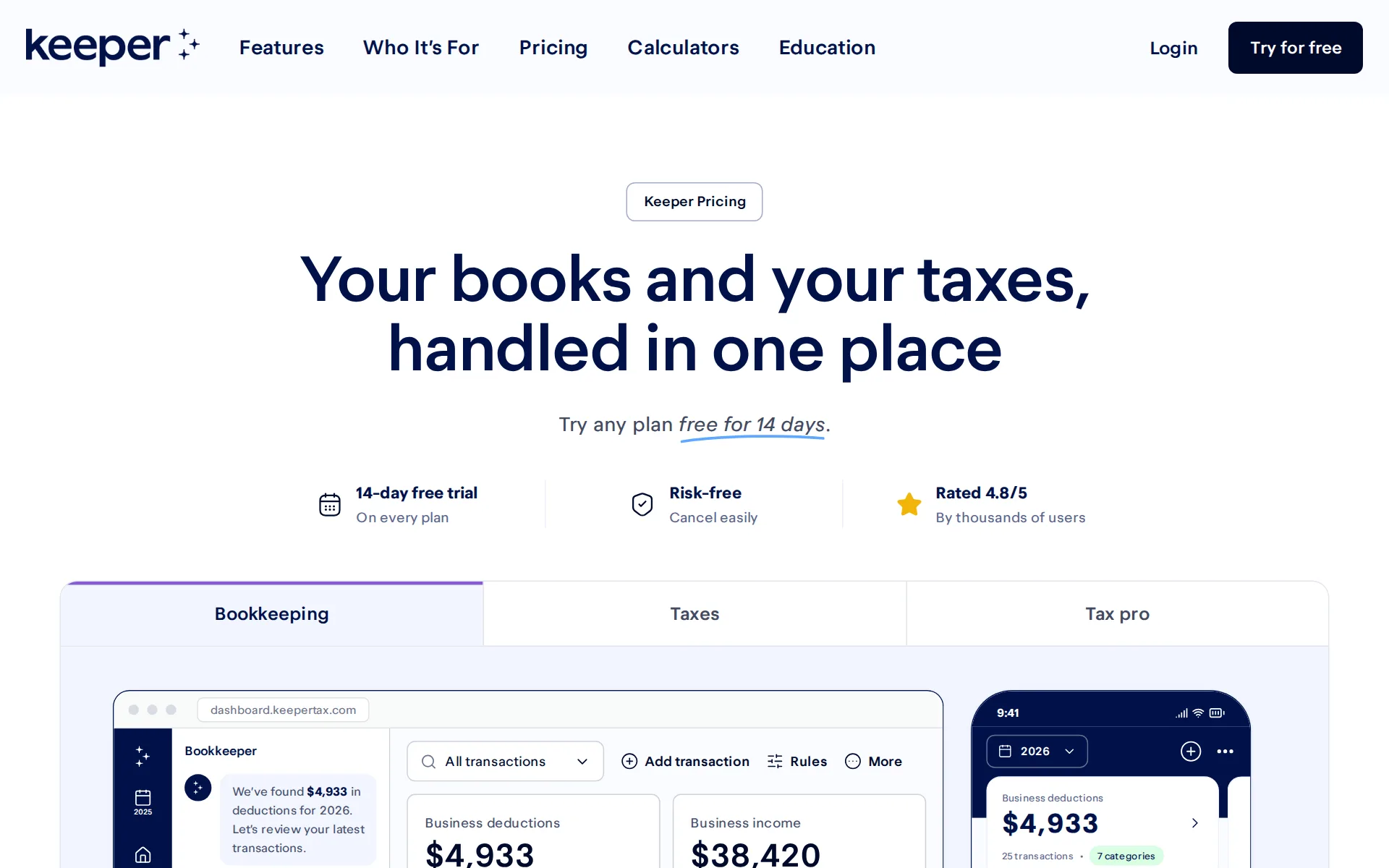
Pricing page, captured
keepertax.com/pricing, checked
What we checked on Keeper
Cost for a solo freelancer
A freelancer who only wants the books pays $20 a month for Bookkeeping Only, which carries the bank and card feeds and receipt scanning; the $199-a-year Standard plan works out at $16.58 a month and adds the tax return.
Bookkeeping Only tracks your expenses and finds your deductions for $20 a month. It doesn’t include tax filing. Yearly plans add tax filing, and…
keepertax.com/pricingChecked
Promotion and regular price
yearly shown monthly: the three filing plans are quoted as a yearly price with a monthly equivalent beneath it, for example $199/yr shown as $16.58/mo, billed yearly; no introductory or first-months discount is advertised anywhere on the plan cards.
On the page: Plan cards, Standard card, price line beneath $199/yr
keepertax.com/pricingChecked
Ledger included
Keeper is the ledger itself: expenses, income and deductions live in Keeper and flow into the return, so no QuickBooks Online or Xero subscription sits underneath it.
Keeper combines bookkeeping and tax filing in one plan - no add-ons.
What the price is based on
Pricing is a flat subscription per person, not per transaction, per account or per dollar of spending: $20 a month for bookkeeping alone, or $199, $399 and $1,199 a year for the filing plans.
On the page: Frequently asked questions, “What’s the difference between Bookkeeping Only and a yearly plan?”
keepertax.com/pricingChecked
Past your plan’s limits
No account or volume cap; tax limits move you up a plan
Yes. Standard includes federal plus up to 2 state returns. Premium and Business cover 3 or more states.
keepertax.com/pricingChecked
Catching up past months
You can bring earlier months in yourself by uploading past transactions as PDF or CSV, and Premium files returns up to five years back, but Keeper offers no priced catch-up or cleanup service and does not say a bookkeeper will tidy those months.
Upload expenses: Bring in past transactions from bank statements or spreadsheets.
Notice before a price rise
The terms promise no notice period at all: Keeper reserves the right to amend fees for existing services at any time at its sole discretion, and says offers are subject to change at any time.
Keeper Tax may add new services for additional fees and charges, and may add or amend fees and charges for existing services, at any time, in its…
keepertax.com/termsChecked
What the AI does
On every plan the AI reads the linked bank and card feed, learns what the member does for work and surfaces write-offs it thinks are deductible, then files each one into a tax category.
Finds write-offs you’d miss, auto-categorized for your taxes
keepertax.com/pricingChecked
What the AI costs
included: the deduction-finding AI is ticked in all four columns of the compare table, including the $20-a-month Bookkeeping Only plan, and is never sold as an add-on or metered in credits.
AI finds and categorizes deductions
keepertax.com/pricingChecked
Categorizes transactions
Transactions are categorized automatically and corrections stick: you confirm or change the suggested category with a tap, and a merchant rule tells Keeper how to treat that merchant from then on.
Tell Keeper once how to treat a merchant, and it applies to future expenses
keepertax.com/pricingChecked
Reconciles your accounts
Does not reconcile accounts to statements. No vendor page offers reconciling bank or card accounts to their statements, on any plan.
QuickBooks may be more appropriate if you need: Mature invoicing, estimates, payments, and bill-pay tools Detailed balance-sheet or general-ledger…
Reads receipts and bills
Receipt scanning is on every plan, including Bookkeeping Only: a photographed receipt either matches an imported transaction or creates a new expense, and the photo stays attached to it.
Snap a receipt to add an expense or match it to a transaction
keepertax.com/pricingChecked
Pays your bills
Keeper captures expenses after they are paid; its own comparison sends buyers who need bill capture, approvals and bill payment to QuickBooks instead, and no plan row offers bill pay.
Invoices, payment acceptance, sales tax, or bill pay are central to your workflow.
Sends invoices
Invoicing is not shipped: Keeper's own comparison table marks invoicing “Coming soon” in its column and says the feature is still upcoming, and it states plainly that it cannot accept card payments.
Keeper's upcoming invoicing feature is intended for straightforward solo-business needs.
Accrual books and reports
There is no accrual-basis statement pack: Keeper lists detailed balance-sheet and general-ledger reporting among the reasons to use QuickBooks instead, and marks profit and loss and balance sheet reports as still to come in its own column.
Detailed balance-sheet or general-ledger reporting
People check the books
A licensed tax professional checks and signs the return, but only on the yearly filing plans; the $20-a-month Bookkeeping Only plan has no human reviewing the categorized transactions.
A pro checks your return before it’s filed
keepertax.com/pricingChecked
Your own bookkeeper
Premium and Business members are matched with a named in-house CPA or enrolled agent they can book up to four calls a year with; it is a tax pro rather than a bookkeeper, and the cheaper plans get none.
In-house, not a referral network: Keeper's tax pros work for Keeper. Every one is a CPA or IRS enrolled agent, and the team averages 18+ years of…
When the month is closed
The only close Keeper performs is a once-a-year review and close of the books, and it is on the Business plan alone; no page states a monthly close date or how many days after month end reports are ready.
A pro reviews and closes your books
keepertax.com/pricingChecked
Your accountant can sign in
Your own accountant cannot be invited in: Keeper lists direct accountant access inside the software as a reason to choose QuickBooks instead, and no plan row offers an accountant seat.
On the page: Section “Where Keeper may be less suitable”, bulleted list
Accuracy the vendor claims
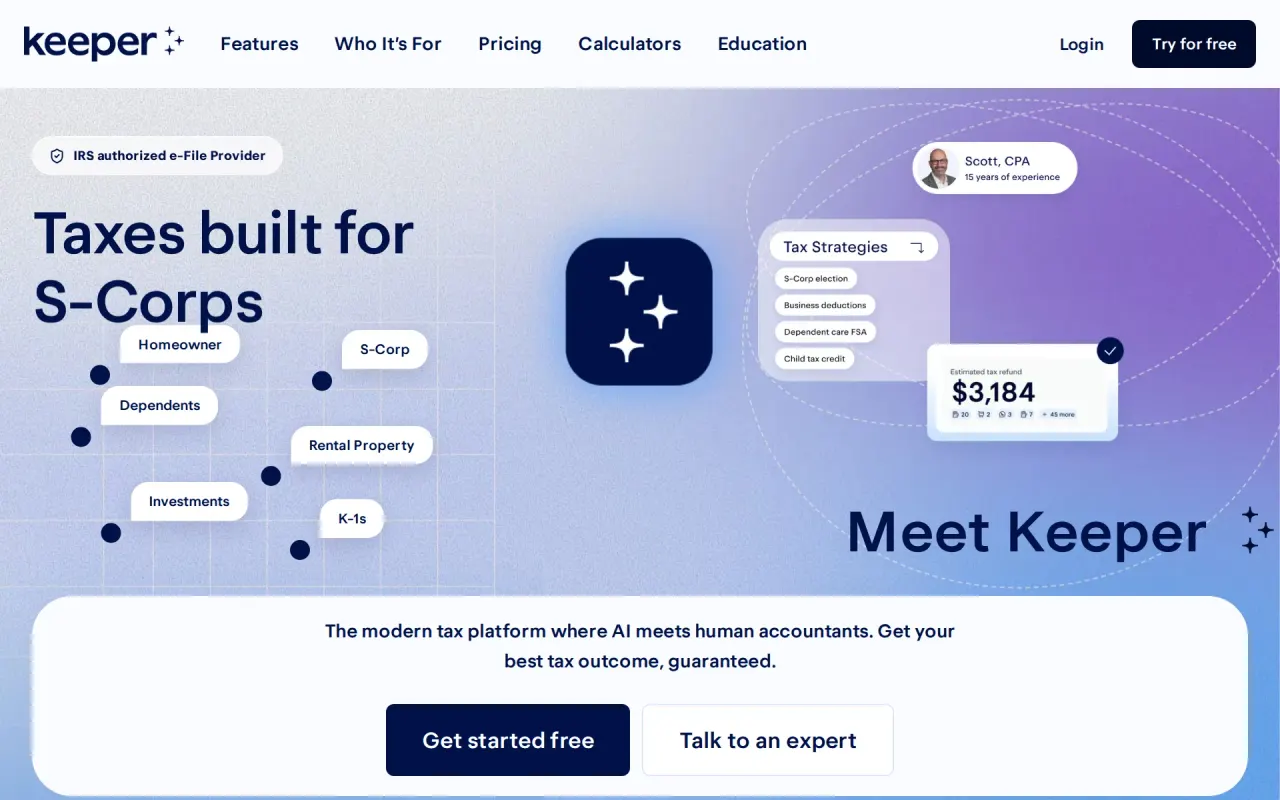
The homepage headlines a 100% accuracy guarantee but states no benchmark, sample or measurement behind it; the terms back it only with a refund of the subscription fee when a Keeper calculation error caused a wrong return.Was Partly before our last check.
Accuracy guaranteed
keepertax.comChecked
QuickBooks Online
None synced; one-time QuickBooks file import only. Going the other way, Keeper exports a spreadsheet of deductions 'For your accountant' or 'For use with other tax software', not into a ledger.
If you previously used QuickBooks for bookkeeping, you can import your transactions using a QuickBooks General Ledger file.
Xero
None synced; one-time QuickBooks file import only. Going the other way, Keeper exports a spreadsheet of deductions 'For your accountant' or 'For use with other tax software', not into a ledger.
On the page: Section 'Import from QuickBooks'
QuickBooks Desktop
None synced; one-time QuickBooks file import only. Going the other way, Keeper exports a spreadsheet of deductions 'For your accountant' or 'For use with other tax software', not into a ledger.
On the page: Section 'Import from QuickBooks'
NetSuite
None synced; one-time QuickBooks file import only. Going the other way, Keeper exports a spreadsheet of deductions 'For your accountant' or 'For use with other tax software', not into a ledger.
On the page: Section 'Import from QuickBooks'
Bank and card feeds
Linked bank and credit card accounts import transactions on their own all year, and Keeper then scans them for deductions; the vendor's own pages disagree on the account limit, saying unlimited in one place and ten in another.
Connect your accounts: Automatically import expenses from unlimited bank accounts and credit cards.
Payroll
none: Keeper's own comparison marks payroll as not offered on its side and tells buyers who expect to add payroll to choose QuickBooks, and no plan row sells it as an add-on or integration.
You expect to add payroll, inventory, employees, integrations, or advanced reporting.
Moves your history in
QuickBooks file import from 2022 on; no Xero. Self-serve in Profile > Accounts & Imports > Import from QuickBooks: upload a QuickBooks General Ledger .xlsx and Keeper reads the transactions and flags deductions.
Export the General Ledger file for the date range of your choice. Keeper will only import transactions starting in January 2022.
Platforms
It runs on web, ios and android: the pricing page says Keeper works on desktop and mobile, the dashboard is a browser app and the terms describe companion apps for iPhone and Android; no native Windows or Mac build is claimed.
Use Keeper anywhere. Available on desktop and mobile.
keepertax.com/pricingChecked
Getting your books out
Deductions spreadsheet and filed return; no ledger. On a paid plan (not during the trial) you can export a spreadsheet per tax year: totals by Schedule C category and every business deduction with date, merchant, amount and category.
Please note, however, that the export will only include business-related expenses or those eligible for your Schedule C (Form 1040). While you can…
Files your tax return
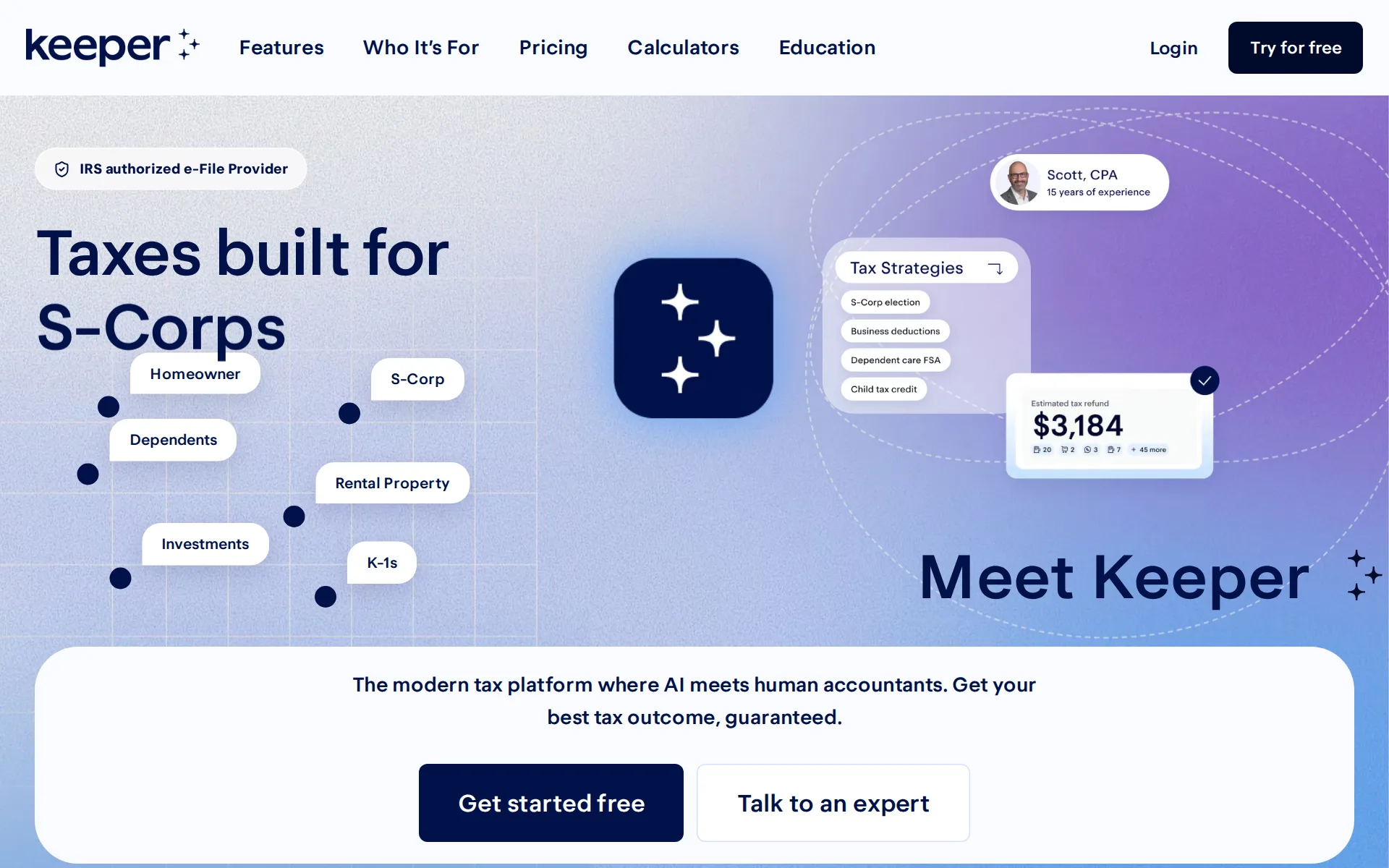
Filing is the point of the yearly plans: Standard at $199 a year e-files the federal return plus up to two states with a tax pro's signature, Premium handles three or more states, and Business files 1120-S and 1065 returns.Was Partly before our last check.
On the page: Frequently asked questions, “Is my state return included?”
keepertax.com/pricingChecked
Files 1099s
Add-on: $50 setup per client, $35 per 1099. Keeper also reads the 1099s you receive, which is a different job.
1099s $50/client setup, $35/each issued
Quarterly tax estimates
Keeper works out federal safe-harbor estimates from last year's return, shows all four amounts and dates and schedules the payments to the IRS, but only from the Premium plan up.
Keeper calculates your federal safe-harbor payments and lets you schedule all four at once, so your quarterly taxes are covered.
Calculates sales tax
Sales tax is not calculated or tracked: Keeper's own comparison answers no in its column and tells buyers for whom sales tax is central to pick QuickBooks instead.
On the page: Section “Which should you choose?”, “Choose QuickBooks if…” list
Files sales tax
With no sales tax tracking of any kind there is nothing to file or remit, and no page offers a sales tax return or payment service in any state.
On the page: Section “Which should you choose?”, “Choose QuickBooks if…” list
Inventory
Stock quantities and cost of goods sold are outside Keeper: it names inventory among the things that make QuickBooks the better fit, and no plan row mentions inventory on any tier.
On the page: Section “Which should you choose?”, “Choose QuickBooks if…” list
Mileage
Automatic mileage logging is advertised with a full feature page but is labeled coming soon in both the plan table and its own page heading, so no plan tracks miles today.
These features are in development. They’ll be added to your plan when they launch.
keepertax.com/pricingChecked
Profit by project or job
Expenses can be assigned to the right gig, client or business and Smart Split spreads shared costs across several Schedule C jobs, but Keeper points buyers who want project profitability reporting to QuickBooks.
Smart Split for expenses shared across multiple Schedule C businesses
For accounting firms
No firm plan; affiliate program open to accountants. There is no plan for bookkeepers or firms to manage clients; the Terms license the service 'for your personal, noncommercial use only'.
Anyone with an audience that could benefit from Keeper — creators, bloggers, accountants, and finance communities all do well.
Several businesses
One account can carry several self-employed activities, with Smart Split spreading shared expenses across them, and the Business plan files S-Corp and partnership returns; the vendor describes no separate set of books per entity and no per-entity price.
Business. It includes S-Corp and partnership tax filing, plus a year-end review and close of your books.
keepertax.com/pricingChecked
Australia
It is sold to US filers only in practice: plans are priced around a federal return plus state returns and Keeper is an IRS authorized e-File provider, while nothing on the site mentions Canadian, UK or Australian banks, GST or VAT.
On the page: Frequently asked questions, “Is my state return included?”
keepertax.com/pricingChecked
Free trial or free plan
You can run your own books and transactions through any plan for 14 days without paying, but there is no standing free tier: after the trial the subscription bills automatically unless you cancel first.
Every plan starts with 14 days free, so you can try everything it includes. If Keeper isn’t right for you, cancel before the trial ends and you won’t…
keepertax.com/pricingChecked
Sign up without a sales call
Every plan starts from a Try free button with no sales call; a one-to-one tax pro call exists but is a feature of Premium rather than a gate on buying.
Try any plan free for 14 days
keepertax.com/pricingChecked
Contract and cancelling
Bookkeeping Only runs month to month at $20, while the filing plans are bought as a year; either way cancellation is self-service from the account, with no call required.Was Partly before our last check.
Yes. You can cancel your plan anytime from your account.
keepertax.com/pricingChecked
Support
Email reaches a person at support@keepertax.com, and Premium members can book one-to-one calls with a tax pro up to four times a year; no phone line, live chat channel or support hours are published.
you can contact us directly at support@keepertax.com
keepertax.com/privacyChecked
Keeper alternatives
All 9 alternatives6 more alternatives
All 9 publish a price.
- DigitsFrom $65 a monthAI-native general ledger that books and reconciles itself, replacing QuickBooks or Xero for US businesses.
- FreshBooksFrom $23 a monthDouble-entry small-business ledger built around invoicing, with a read-only Claude connector for questions.
- InkleFree, then $30 a monthUS accounting software with AI categorization, plus bookkeepers, tax filing and compliance in one app.
- DextFrom $31.50 a monthCaptures receipts, invoices and statements, codes them and publishes to QuickBooks, Xero or Sage.


Sources and changes
Last changed
Sources16
- keepertax.com/pricing
- keepertax.com/compare/keeper-vs-quickbooks
- help.keepertax.com/hc/en-us/articles/18341670774039-FAQ
- keepertax.com/terms
- keepertax.com/features/expense-tracking
- help.keepertax.com/hc/en-us/articles/16766355599895-Managing-Your-Linked-Accounts
- help.keepertax.com/hc/en-us/articles/28520814513431-Keeper-s-Business-Plan-and-Add-On-Services
- keepertax.com/privacy
- keepertax.com/
- keepertax.com/become-an-affiliate
- keepertax.com/features/meet-with-a-tax-pro
- keepertax.com/features/quarterly-taxes
- help.keepertax.com/hc/en-us/articles/16699254255383-Your-information-is-safe-with-Keeper
- help.keepertax.com/hc/en-us/articles/16703197522455-Exporting-your-deductions
- help.keepertax.com/hc/en-us/articles/25481100557975-How-to-sign-up-for-Keeper
- help.keepertax.com/hc/en-us/articles/9175093784727-How-Keeper-works
What changed on this page2
- Bookkeeping features, free plan, plan limits, prices, terms
- Bookkeeping features, free plan, plan limits, terms
Is this yours?
Make it yours for free, then check who reads this page, marked as verified. You confirm it with an email at keepertax.com.
Report an error if a fact is wrong.