
What it costs
A month of books at 100 transactions
Does not apply
No plan keeps a full set of books
Checked against the maker's own pages, 28 October 2026.
DocuClipper price and plans
Prices excluding tax, as DocuClipper publishes them.
Starter (60 pages)
$29 a month
Keeps no full set of books
- Flat fee
Starter (120 pages)
$39 a month
Keeps no full set of books
- Flat fee
Starter (300 pages)
$79 a month
Keeps no full set of books
- Flat fee
Business (640 pages)
$159 a month
Keeps no full set of books
- Flat fee
Business (1,000 pages)
$219 a month
Keeps no full set of books
- Flat fee
Business (1,500 pages)
$299 a month
Keeps no full set of books
- Flat fee
Enterprise (1,800 pages)
$399 a month
Keeps no full set of books
- Flat fee
What needs a higher plan
- Business
- Your own bookkeeper
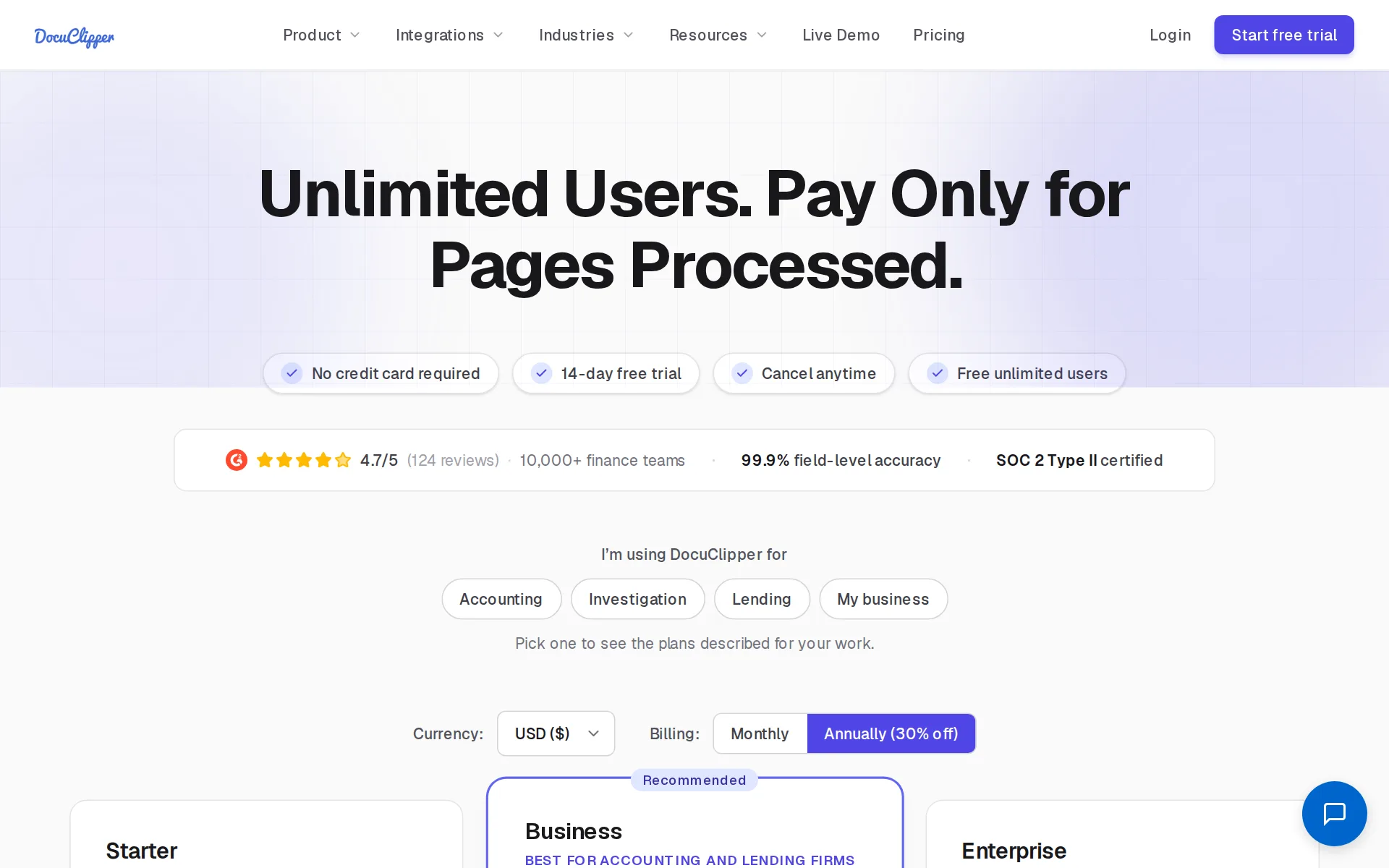
Pricing page, captured
docuclipper.com/pricing, checked
What we checked on DocuClipper
Cost for a solo freelancer
A freelancer pays $29 a month on the cheapest plan, Starter at 60 pages, which the vendor itself calls ideal for freelancers; that buys page processing and unlimited users, but it reads uploaded statements and receipts rather than connecting to a bank, and the vendor's own front page says there is no bank to connect.
Ideal for freelancers & small businesses with moderate processing needs.
docuclipper.com/pricingChecked
Promotion and regular price
yearly shown monthly: the billing control above the plan cards opens on Annually and shows Starter as $20.30 a month, while clicking Monthly shows the month-to-month rate of $29; the vendor names no time-limited promotion and no price that changes after a first period.
Annually (30% off)
docuclipper.com/pricingChecked
Ledger included
It is not an accounting ledger at all: it extracts documents and exports or pushes them into QuickBooks Online or Xero, whose subscription you pay separately.
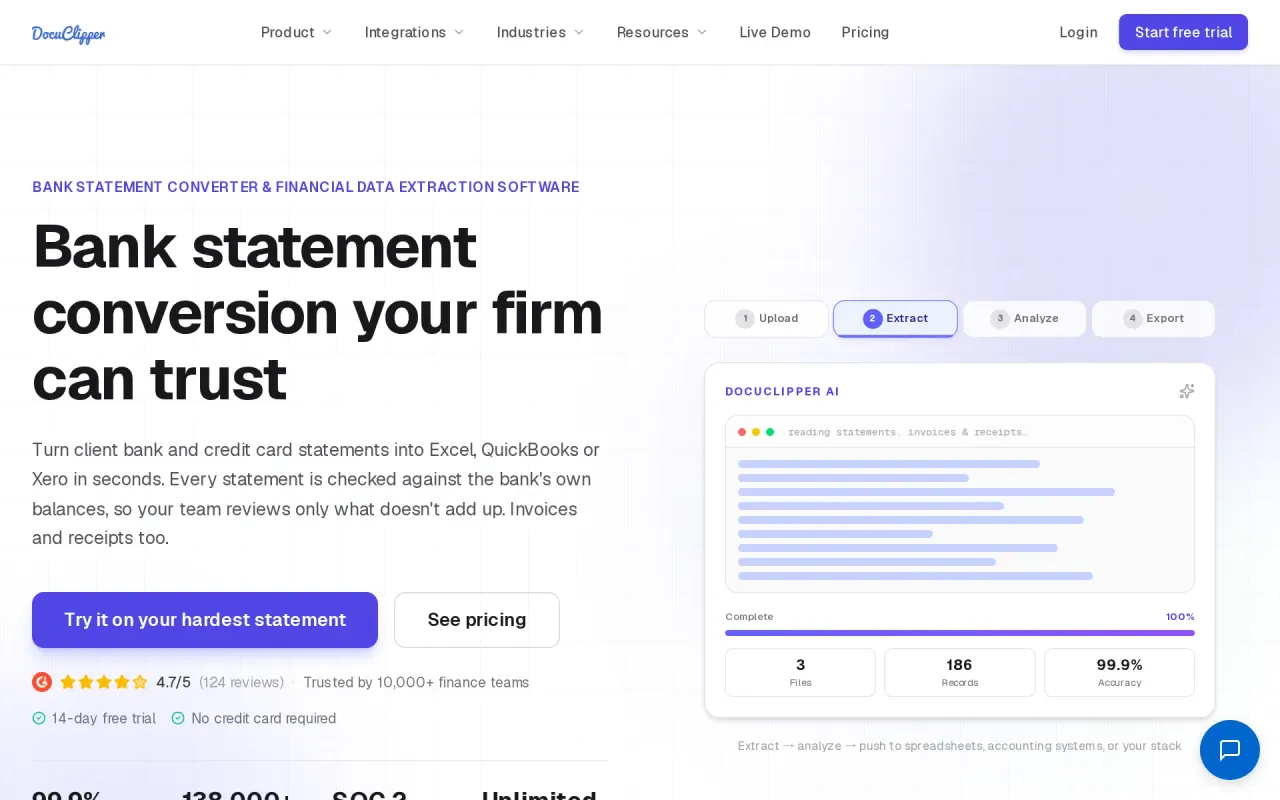
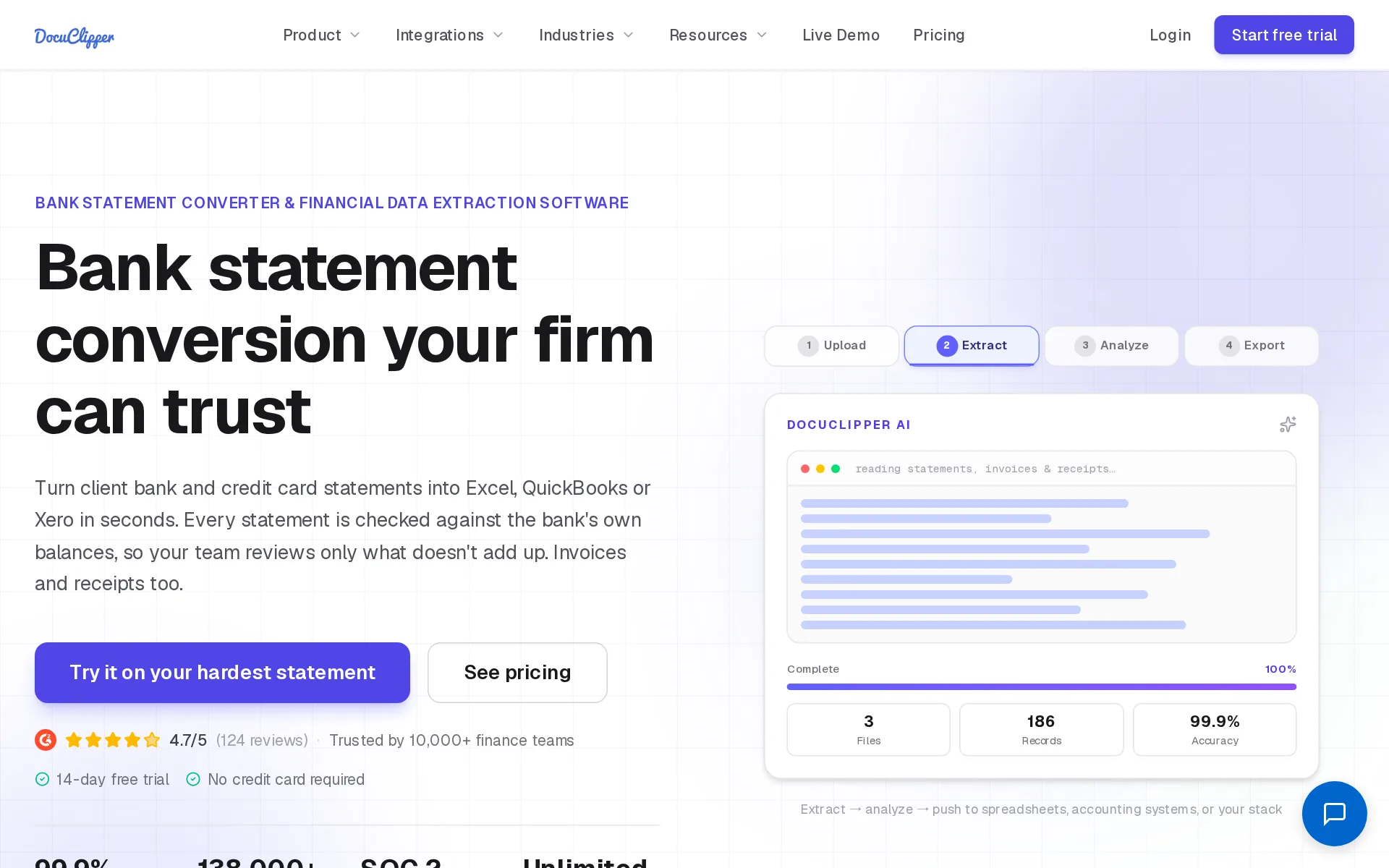
DocuClipper is a bank statement converter and financial data extraction software. It extracts structured data from bank and credit card statements,…
docuclipper.comChecked
What the price is based on
Billing is a flat monthly fee per account with a page allowance; one successfully processed PDF page counts as one page, and users are unlimited.
One page of any PDF you successfully process counts as one page. A 12-page bank statement uses 12 pages; a single-page invoice uses 1. We only count…
docuclipper.com/pricingChecked
Users included
Every plan includes unlimited users at no extra cost, with the page allowance pooled across the whole account rather than per seat.
Every plan includes unlimited users at no extra cost, so you can add your whole team without per-seat fees. Pages are pooled across the account.
docuclipper.com/pricingChecked
Past your plan’s limits
The vendor states unused pages do not roll over on monthly billing, but publishes no overage rate or stated behavior once the allowance runs out.
Pages included in the monthly plan do not carry forward to the next month. This means that any unused pages at the end of your billing cycle will not…
docuclipper.com/pricingChecked
Setup or onboarding fee
The vendor states plainly that there are no setup fees and no contractual obligations of any kind on any plan.
No, there are no contractual obligations or extra fees of any kind.
docuclipper.com/pricingChecked
What the AI does
AI categorizes extracted transactions, identifies merchants and transfers, and AI templates pull custom fields from any document by natural-language prompt.
DocuClipper automatically analyzes and categorizes transactions from bank statements (PDF or scanned), credit card statements, and CSV or Excel files.
What the AI costs
included - automatic transaction categorization is listed as a feature of the cheapest Starter plan, with no credit pack or AI add-on sold separately.
On the page: Pricing page, Starter plan feature list
docuclipper.com/pricingChecked
Categorizes transactions
It categorizes bank and card transactions without rules and says it learns from your corrections; custom keyword and merchant overrides are also available.
Learns from your corrections over time
Reconciles your accounts
It checks each extracted statement period against the statement's own printed opening and closing balances, but does not reconcile a ledger's books to the bank.
Each period is totaled against the statement's printed opening and closing balances. Periods that do not tie out are flagged before you export.
docuclipper.comChecked
People check the books
Checking the output is the buyer's job: the product flags periods that fail the balance check and expects your team to review them before export.
Your team reviews only the periods that don't tie out.
docuclipper.comChecked
Your own bookkeeper
No bookkeeper is provided, but the Business plan includes a dedicated account manager with phone and premium support for service questions.
Phone + premium support with dedicated account manager
docuclipper.com/pricingChecked
Your accountant can sign in
Unlimited free users on every plan means an outside accountant or bookkeeper can be added without any extra seat charge.
Absolutely, you can add as many users as you want for free. Users share the pages included in the plan.
docuclipper.com/pricingChecked
Accuracy the vendor claims
It claims 99.9% field-level accuracy and backs it with published production figures on how many statement periods tied out to printed balances.
DocuClipper delivers 99.9% field-level accuracy. … In the 30 days to October 15, 2026, 94.6% of 118,000+ digital statement periods tied out.
docuclipper.comChecked
QuickBooks Online
Direct integrations with QuickBooks Online and Xero are on every plan, plus QuickBooks Desktop files
Every plan includes direct integrations with QuickBooks Online and Xero, QuickBooks Desktop files (QBO, IIF), and exports to Excel, CSV, OFX, QFX,…
docuclipper.com/pricingChecked
Xero
Direct integrations with QuickBooks Online and Xero are on every plan, plus QuickBooks Desktop files
On the page: Pricing FAQ, 'What integrations are included in every plan?'
docuclipper.com/pricingChecked
QuickBooks Desktop
Direct integrations with QuickBooks Online and Xero are on every plan, plus QuickBooks Desktop files
On the page: Pricing FAQ, 'What integrations are included in every plan?'
docuclipper.com/pricingChecked
NetSuite
NetSuite has its own integration page but no plan detail.
On the page: Pricing FAQ, 'What integrations are included in every plan?'
docuclipper.com/pricingChecked
Bank and card feeds
There is no bank connection at all: you supply PDF statements by upload, email, cloud folder or API and it reads them.
No templates to build, no bank to connect, no rows to retype.
docuclipper.comChecked
Moves you off QuickBooks Desktop
It does not import QuickBooks Desktop history, but it produces QBO and IIF files that load statement and invoice data into QuickBooks Desktop at no extra cost.
Output formats include Excel (XLSX), CSV, QBO, IIF, OFX, QFX, and QIF for QuickBooks Desktop, QuickBooks Online, and Xero.
docuclipper.com/pricingChecked
Getting your books out
Everything extracted can be downloaded as Excel, CSV or accounting-import files, and you can delete your data from the account at any time.
Your data belongs to you. We do not sell or share it, and you can delete your data at any time from your account.
docuclipper.com/securityChecked
Files 1099s
It reads 1099 forms box by box, including consolidated broker 1099s, but does not prepare or file 1099s for contractors you pay.
1099-NEC, MISC, INT, DIV and R: one row per form, one column per IRS box, in box order
SOC 2 report
It is SOC 2 Type II certified with an audit the vendor says had zero exceptions, and reports are available on request for procurement review.
Our controls are independently audited for security, availability, and confidentiality. Our audit was completed with zero exceptions.
docuclipper.com/securityChecked
Your data trains AI
The vendor states documents are not used to train third-party models and that statement extraction is deterministic and rules-based rather than generative.
Your documents are not used to train third-party models.
docuclipper.com/securityChecked
Several businesses
One account handles many clients' files at once with pooled pages and consistent categories, which is the firm workflow the vendor sells.
Upload thousands of documents at once. Month-end close doesn't stall when your team is processing hundreds of client files.
Australia
Sold to US businesses and beyond: it reads all major US banks plus Canadian, UK, Australian and South African institutions, and prices in USD, CAD, GBP, AUD and ZAR.
DocuClipper supports any bank, credit card, or brokerage statement format out of the box, including all major US banks, plus Canadian, UK,…
docuclipper.com/pricingChecked
Free trial or free plan
A 14-day trial with no credit card lets you process up to 120 pages of your own statements, but exporting or syncing requires upgrading.
Sign up free, no credit card required. During the 14-day trial, DocuClipper processes up to 120 pages and shows you every extracted transaction so…
docuclipper.com/pricingChecked
Sign up without a sales call
You sign up, trial and subscribe online without a sales call; only custom Enterprise volume requires contacting the vendor.
Sign up free, no credit card required. … When you're ready to export or sync to QuickBooks/Xero, upgrading takes 30 seconds.
docuclipper.com/pricingChecked
Contract and cancelling
Month to month with no contract, cancellable from the account at any time; annual billing is optional and discounted.
No, we do not enforce any contracts for long-term commitments or other contract obligations whatsoever. And there are no hidden charges or fees.
docuclipper.com/pricingChecked
Support
Email and chat support on every plan, with phone and a dedicated account manager only from Business up; no published hours.
Email & chat support
docuclipper.com/pricingChecked
DocuClipper alternatives
All 9 alternatives6 more alternatives
5 of the 9 publish a price.
- StampliOn quoteProcure-to-pay workspace for invoices, vendors, payments and card spend, with AI coding and routing.
- PilotNo list priceA bookkeeping and tax service for startups that pairs software-driven dashboards with human financial advisors.
- Booke AINo list priceAn AI bookkeeper that works inside QuickBooks Online and Xero to categorize transactions and match documents.
- SimpleAIFrom $79 a monthAI agents that extract, classify and reconcile accounting documents, then publish them into Xero or QuickBooks.


Sources and changes
Last changed
Sources on docuclipper.com7
What changed on this page2
- Bookkeeping features, free plan, plan limits
- Bookkeeping features, free plan, prices, terms
Is this yours?
Make it yours for free, then check who reads this page, marked as verified. You confirm it with an email at docuclipper.com.
Report an error if a fact is wrong.