
What it costs
A month of books at 100 transactions
Does not apply
No plan keeps a full set of books
Checked against the maker's own pages, 28 October 2026.
SnapTax price and plans
Prices excluding tax, as SnapTax publishes them.
Free
Free
Keeps no full set of books
- Flat fee
Starter
$4.99 a month
Keeps no full set of books
- Flat fee
- $49 setup, once
Builder
$19.99 a month
Keeps no full set of books
- Flat fee
- Adds Categorizes transactions
- Adds Reconciles your accounts
- Adds Reads receipts and bills
- Adds Accrual books and reports
- Adds Getting your books out
- Adds Mileage
Optimizer
$39.99 a month
Trial
- Flat fee
- Adds Users included
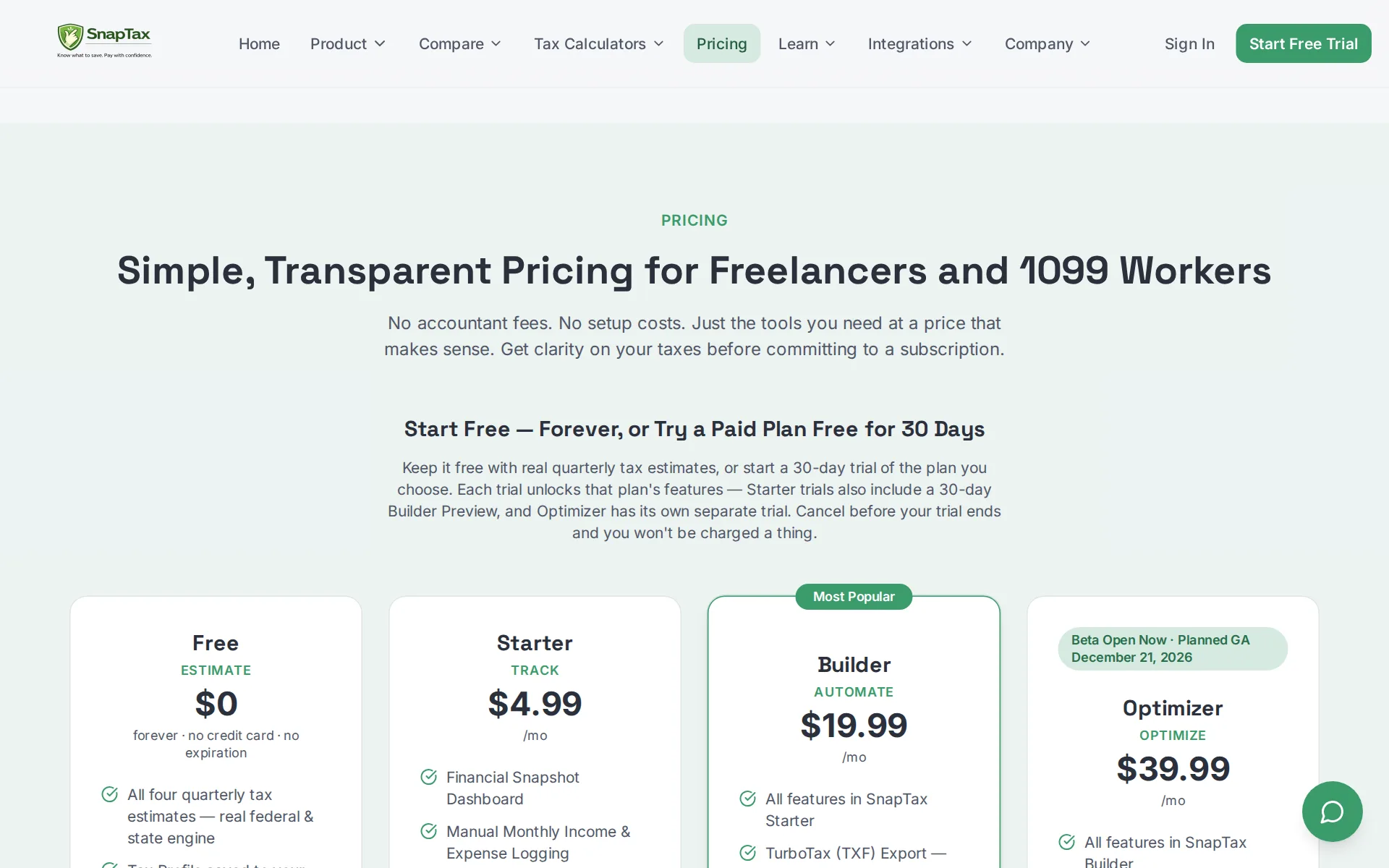
Pricing page, captured
snaptaxapp.com/pricing, checked
What we checked on SnapTax
Cost for a solo freelancer
A solo freelancer pays $4.99 a month on Starter for estimates and manual entry, but receipts and statement upload need Builder at $19.99; nothing pulls transactions from a bank by itself.
Builder AUTOMATE $19.99 /mo
snaptaxapp.com/pricingChecked
Promotion and regular price
The rate card prints one standing price per plan — $0, $4.99, $19.99 and $39.99 a month — with no introductory rate, countdown or post-promotion price anywhere on it.
Simple, Transparent Pricing for Freelancers and 1099 Workers No accountant fees. No setup costs. Just the tools you need at a price that makes sense.
snaptaxapp.com/pricingChecked
Ledger included
No separate QuickBooks or Xero subscription is needed, but the vendor says this is not accounting software: you get a profit and loss, and the balance sheet is still being built.
No chart of accounts, no bookkeeper required. Start managing your self-employment taxes in minutes.
snaptaxapp.comChecked
What the price is based on
Every plan is a flat monthly subscription for one person's books, not metered by transaction, connected account or business spending.
Starter TRACK $4.99 /mo
snaptaxapp.com/pricingChecked
Users included
The plan cards name no user count; the only seat the vendor describes is a second spouse login, and that sits in the Optimizer multi-business beta rather than in Starter or Builder.
2 Separate spouse logins sharing one household Tax Center
Setup or onboarding fee
Setup is optional and self-serve, but the vendor sells a one-time $49 thirty-minute session with the founder that configures the account and calculates your first estimate.
Get Set Up by the Founder — 30 Minutes, $49 $49 / one-time
snaptaxapp.com/pricingChecked
What the AI does
AI reads an uploaded bank statement and assigns each transaction a Schedule C category, answers whether an expense is deductible, and a chat assistant handles app and tax questions.
Upload your bank statement directly into SnapTax and the AI reads each transaction and automatically assigns it to the right expense category.
snaptaxapp.com/faqChecked
What the AI costs
included in the plan price: the chat assistant comes with every plan including Free, and AI categorization is part of Builder's $19.99 a month with no credits or add-on fee.
AI-assisted income & expense categorization
snaptaxapp.com/pricingChecked
Categorizes transactions
Builder and above categorize each uploaded transaction automatically and the vendor says the AI learns from your behavior; Free and Starter have no categorization at all.
Automatically categorizes transactions Learns from your behavior Easy to correct and improves over time
Reconciles your accounts
Builder adds a month-end close wizard and checklist, but the vendor describes no matching of your accounts against a bank or card statement balance each month.
Month-end close checklist
snaptaxapp.com/featuresChecked
Reads receipts and bills
On Builder you photograph or upload a receipt and it is stored and matched to the transaction automatically; Free and Starter include no receipt capture.
Receipt Management — Upload, store & match receipts
snaptaxapp.com/pricingChecked
Pays your bills
The vendor sends buyers who want bill pay elsewhere: capturing vendor bills, routing approvals and paying them are not part of this product on any plan.
Payroll managed by your accounting software Invoicing or bill pay Balance sheet reporting → Use QuickBooks
Sends invoices
Invoicing with AI payment matching is printed on the Builder card as still to come, and the honest-take list on the home page tells buyers who need invoicing to look elsewhere.
Customers & Vendors — customer directory, vendor registry, invoicing, AI payment matching, and a 1099-NEC & 1099-MISC centerCOMING SOON
snaptaxapp.com/pricingChecked
Accrual books and reports
Builder produces a monthly and annual profit and loss from categorized transactions, but the balance sheet is cash-basis and still in development, and no cash flow statement is offered.
Assets, liabilities & balance sheetSimplified cash-basis balance sheet with CPA-ready PDF & CSV export — in active development
snaptaxapp.com/featuresChecked
People check the books
Nobody at the vendor checks the AI's categorization: the product is sold as self-serve planning and the home page tells buyers who want their books managed to look elsewhere.
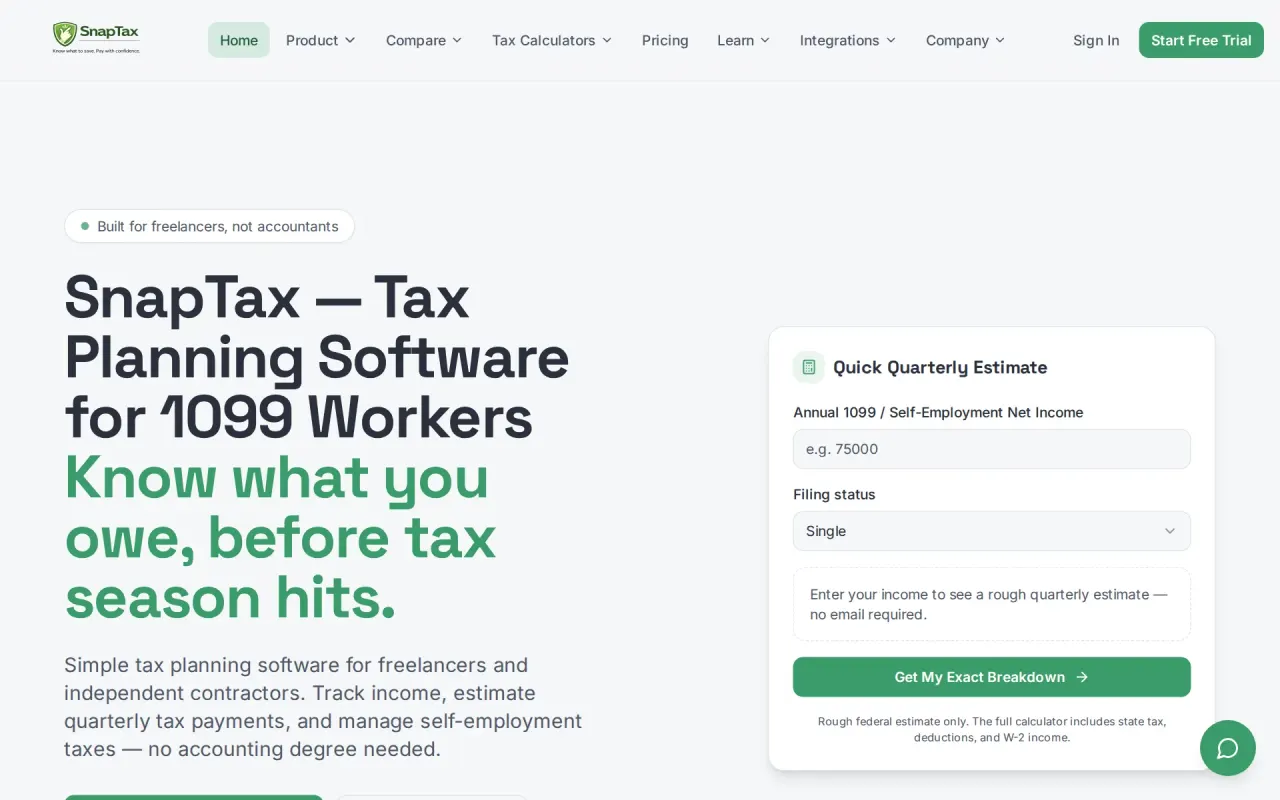
SnapTax is self-serve tax planning for solo business owners who want to understand their numbers — without becoming an accountant.
snaptaxapp.comChecked
Your own bookkeeper
There is no assigned bookkeeper on any plan; the only human time sold is one 30-minute $49 session with the founder, and the vendor rules out ongoing one-on-one support.
Want ongoing one-on-one accounting support
snaptaxapp.comChecked
Accuracy the vendor claims
The vendor claims current IRS and state tables and a realistic picture, but publishes no accuracy percentage and no method by which any such figure was measured.
SnapTax uses current tax rules and standard self-employment calculations to generate estimates. While it isn't a substitute for professional tax…
snaptaxapp.com/faqChecked
Xero
QuickBooks sends a monthly profit and loss into SnapTax from Starter up, and the Optimizer multi-business beta adds Xero and Wave
QuickBooks P&L Integration — import your monthly P&L directly into SnapTax
snaptaxapp.com/pricingChecked
QuickBooks Desktop
QuickBooks Desktop and NetSuite appear nowhere.
On the page: Starter plan card, feature list
snaptaxapp.com/pricingChecked
NetSuite
QuickBooks Desktop and NetSuite appear nowhere.
On the page: Starter plan card, feature list
snaptaxapp.com/pricingChecked
Bank and card feeds
Nothing pulls transactions from your banks or cards: you drag in a statement as CSV, PDF, OFX or QFX, and direct connections are described as a future version.
Today, SnapTax does not require bank account connections. You can simply drag and drop a bank statement into SnapTax and the tool will read the file…
snaptaxapp.com/faqChecked
Stripe
Stripe, Square, PayPal, Venmo and Cash App are handled only as statement or CSV files you upload
Works with Any bank or credit union Credit cards Venmo & Zelle PayPal & Cash App Stripe & Square Any CSV export
Shopify
the vendor names no live connection, and Shopify and Gusto are not mentioned.
On the page: No Bank Connection section, 'Works with' list
PayPal
Stripe, Square, PayPal, Venmo and Cash App are handled only as statement or CSV files you upload
On the page: No Bank Connection section, 'Works with' list
Square
Stripe, Square, PayPal, Venmo and Cash App are handled only as statement or CSV files you upload
On the page: No Bank Connection section, 'Works with' list
Gusto payroll
the vendor names no live connection, and Shopify and Gusto are not mentioned.
On the page: No Bank Connection section, 'Works with' list
Payroll
none: payroll is not built in, sold as an add-on or connected from another provider, and the vendor points buyers who need it to QuickBooks instead.
On the page: The Bottom Line, 'If you want' column
Moves your history in
You export your QuickBooks transactions as a CSV and upload them, and the AI categorizes the lot; the vendor charges nothing extra and claims setup in under ten minutes.
Export your transactions from QuickBooks as a CSV and upload them into SnapTax. AI will categorize everything automatically. Most users are fully set…
Platforms
web, ios, android: it runs in any browser on desktop and installs to an iPhone or Android home screen as a progressive web app rather than through an app store.
SnapTax is a Progressive Web App (PWA) — a modern type of mobile application that installs directly on your iPhone or Android home screen from your…
snaptaxapp.com/mobile-appChecked
Getting your books out
You can export a Schedule C TXF file, profit and loss reports and a zipped receipt audit package, but there is no general ledger or trial balance to take, since the product keeps neither.
It's designed for IRS audits or CPA reviews — personal transactions are automatically excluded. You can download a CSV report or a complete ZIP…
snaptaxapp.com/faqChecked
Files your tax return
It never files anything: the vendor states plainly that this is planning, and you take the numbers to TurboTax or an accountant to file.
No — SnapTax is a tax planning tool, not a tax filing service. It helps you stay prepared throughout the year so when it's time to file, you already…
snaptaxapp.com/faqChecked
Files 1099s
A 1099-NEC and 1099-MISC center with Track1099 and IRS IRIS filing exports is printed on the Builder and Optimizer columns as still in active development, not as something you can use now.
Includes 1099-NEC & 1099-MISC center with Track1099 / IRS IRIS filing exports — in active development
snaptaxapp.com/featuresChecked
Quarterly tax estimates
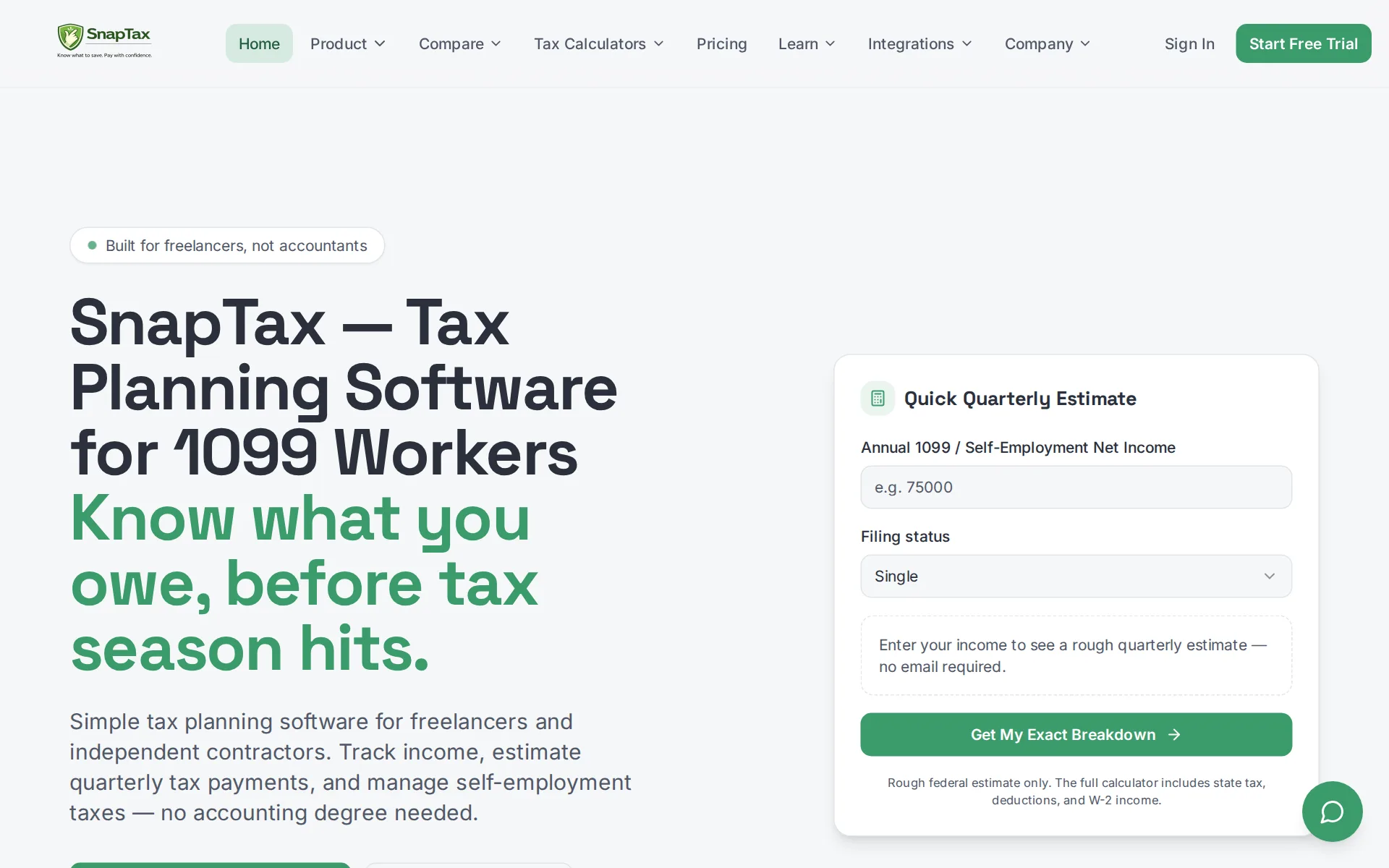
This is the core of the product: all four IRS quarterly amounts, federal, state and self-employment tax, with deadline countdowns and email reminders even on the free plan.
All four quarterly tax estimates — real federal & state engine
snaptaxapp.com/pricingChecked
Inventory
Stock quantities are out of scope by design; the vendor positions the product against software built for companies with inventory, and only a cost of goods sold total reaches the tax export.
Most self-employed accounting software was designed for businesses with employees, payroll, and inventory. SnapTax is freelancer bookkeeping software…
Mileage
Builder adds a GPS tracker you start and stop in the phone app, with manual and photo entry too, and the deduction flows into the estimate; Free and Starter have none of it.
Tap Start Trip and your phone's GPS records the route while you drive — tap End Trip when you arrive. Every trip is logged with date, destination,…
snaptaxapp.com/mobile-appChecked
SOC 2 report
The vendor claims its hosting infrastructure is SOC 2 compliant, but names no SOC report of its own, no type and no way to request one.
Your information is stored in enterprise-grade, SOC 2 compliant infrastructure — the same security standard used by major financial institutions.
snaptaxapp.com/faqChecked
Your data trains AI
The vendor states uploaded statements are used for nothing beyond processing your transactions and are never shared or sold, so no opt-out is offered because none is needed.
They are never shared, sold, or used for any purpose other than processing your transactions.
snaptaxapp.com/faqChecked
For accounting firms
There is no firm or multi-client plan; the terms forbid using the service to provide tax planning to others on a white-label or outsourced basis without written consent.
use the Service to provide tax-planning services to others on a white-label or outsourced basis without our written consent
snaptaxapp.com/termsChecked
Several businesses
Several businesses under one household account is printed on the Optimizer card as coming soon, so today one account keeps one business's numbers.
Multi-business Support — One household tax number across multiple 1099 businessesCOMING SOON
snaptaxapp.com/pricingChecked
Canada
Canada, the UK and Australia are not served.
Audience: U.S.-based independent contractors, gig workers, freelancers, consultants, real estate agents, rideshare drivers, content creators, and…
snaptaxapp.com/llms.txtChecked
Australia
Canada, the UK and Australia are not served.
On the page: Key facts, Audience bullet
snaptaxapp.com/llms.txtChecked
Free trial or free plan
A permanent $0 plan gives real quarterly estimates on your own numbers with no card and no expiry, and each paid plan adds its own 30-day trial on top.
$0 forever · no credit card · no expiration
snaptaxapp.com/pricingChecked
Sign up without a sales call
You sign up and configure it yourself in minutes with no call required; the paid founder session is an optional extra rather than a gate on buying.
Cancel anytime. Upgrade or downgrade as your business grows. No contracts, no consultations, no bookkeeping retainers.
snaptaxapp.com/pricingChecked
Contract and cancelling
Billing is month to month with no contract, cancellation is in-app rather than by phone, and the terms confirm fees are billed in advance and renew until you stop them.
NO Long-Term Commitment
snaptaxapp.com/pricingChecked
Support
Support is email and in-app tickets plus an AI chat assistant, with a 72-hour target on Free and 24 hours on paid plans; no phone line or stated business hours are published.
Support SLA 72-hour 24-hour AI + 24hr human AI + 24hr human
snaptaxapp.com/featuresChecked
SnapTax alternatives
All 9 alternatives6 more alternatives
6 of the 9 publish a price.
- PilotNo list priceA bookkeeping and tax service for startups that pairs software-driven dashboards with human financial advisors.
- Booke AINo list priceAn AI bookkeeper that works inside QuickBooks Online and Xero to categorize transactions and match documents.
- SimpleAIFrom $79 a monthAI agents that extract, classify and reconcile accounting documents, then publish them into Xero or QuickBooks.
- QuickBooks OnlineFree, then $38 a monthIntuit's cloud ledger, now with Intuit Intelligence agents that categorize, reconcile and flag errors.


Sources and changes
Last changed
Sources on snaptaxapp.com9
What changed on this page1
- Bookkeeping features, free plan, plan limits, prices, terms
Is this yours?
Make it yours for free, then check who reads this page, marked as verified. You confirm it with an email at snaptaxapp.com.
Report an error if a fact is wrong.