
What it costs
A month of books at 100 transactions
Does not apply
No plan keeps a full set of books
Checked against the maker's own pages, 27 October 2026.
Everlance price and plans
Prices excluding tax, as Everlance publishes them.
Basic
Free
Keeps no full set of books
- Flat fee
Starter
$10.99 per user a month
Keeps no full set of books
- Flat fee
Professional
$19.99 per user a month
Trial
- Flat fee
- Adds What the AI does
- Adds What the AI costs
- Adds Your own bookkeeper
- Adds Files your tax return
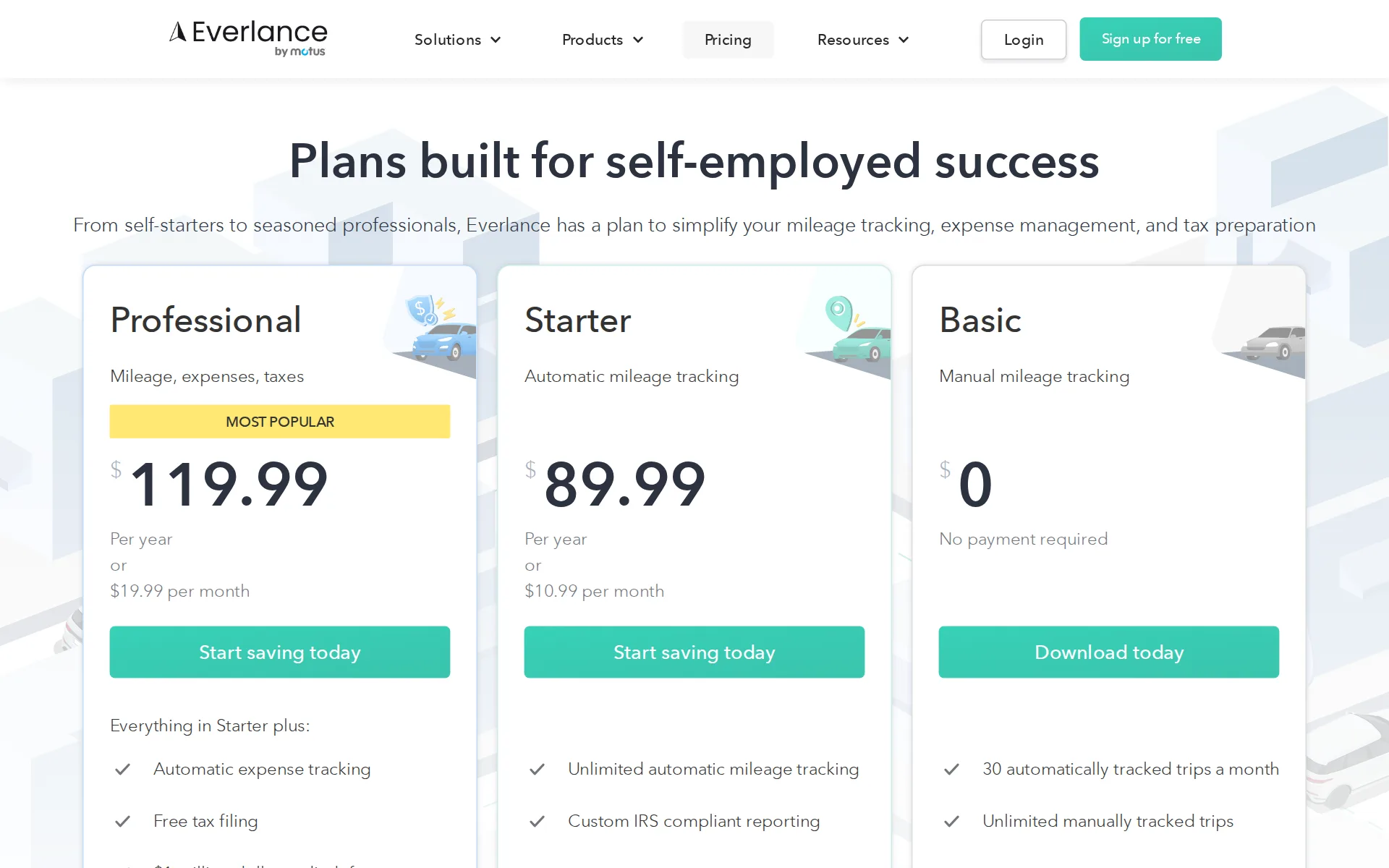
Pricing page, captured
everlance.com/pricing, checked
What we checked on Everlance
Cost for a solo freelancer
A freelancer pays $10.99 a month on Starter for unlimited automatic trip detection and receipt uploads; bank and card sync sits on Professional at $19.99 a month.
The Starter membership costs $10.99 per month or $89.99 annually, offering features like unlimited auto-detection, Work Hours, and PDF exports. The…
Promotion and regular price
none - the published figures are the regular prices, with both the annual and the month-to-month rate printed on each plan card rather than a limited-time offer.
Your credit card will be charged at the end of your trial. If you selected an annual plan, you will be charged $89.99 for Starter or $119.99 for…
everlance.com/pricingChecked
Ledger included
It is not an accounting ledger at all: the vendor describes a service for tracking revenue, expenses and financial data, with no general ledger or statements.
Everlance provides a service to help people track revenue, expenses, and other important financial data.
What the price is based on
Flat per-user subscription, billed monthly or annually, with no metering by transaction, account or spending level anywhere on the plan cards.
"Everlance Premium" is available as a monthly subscription or prepaid annual subscription.
Users included
One user per account on the self-employed plans; the vendor says accounts cannot be shared and each person needs their own subscription.
Everlance is designed for single users, meaning you can't be logged into the same account on multiple devices. This ensures accurate tracking and…
Past your plan’s limits
The only published cap is the free plan's 30 automatically detected trips a month; the vendor states the upgrade path but never says what happens when that monthly allowance runs out.
Yes! You can use a basic version of Everlance with a free plan that includes up to 30 automatically detected trips per month. No credit card is…
everlance.com/pricingChecked
Notice before a price rise
The terms promise advance notice of any subscription fee change by email or a posted notice, but name no number of days.
We may change the amount, frequency, and debit date of the Subscription Fee from time to time in our sole discretion. We will notify you in advance…
What the AI does
The AI work is a deduction finder that scans synced transactions and suggests write-offs; the comparison table limits it to Professional and marks it iOS only.
AI deduction finder
everlance.com/pricingChecked
What the AI costs
included - the AI deduction finder carries no separate charge or credits, but it is bundled only into the $19.99 Professional plan, not Starter or Basic.
Everything in Starter plus: Automatic expense tracking AI deduction finder All-inclusive tax filing $1 million dollar audit defense
everlance.com/pricingChecked
Categorizes transactions
It recognizes favorite transactions and auto-classifies them, and suggests deductions, but the buyer still swipes each expense to claim it as work or personal.
Securely link a card and see a feed of your expenses in real time. Swipe to claim for work, or mark personal to disregard.
Reads receipts and bills
You can photograph a receipt and attach it to a transaction, but the vendor states plainly that it does not scan receipts or read data off them.
No, Everlance does not scan receipts or automatically import information from them into your transactions. However, you can manually add an expense…
People check the books
Checking the numbers is the user's job: the vendor disclaims professional advice and says it is up to you whether to rely on anything the platform shows.
All tools and content provided by Everlance via the Services are for your basic informational purposes only. Everlance does not provide professional…
Your own bookkeeper
No bookkeeper is assigned, but Professional subscribers get a live one-to-one training session and priority support responses from the vendor's team.
The email will also contain instructions to schedule your live 1x1 training to help set you up for success.
everlance.com/pricingChecked
Your accountant can sign in
Instead of a second seat you add your accountant as an export recipient, and they receive an emailed link to download your trips and transactions.
Enter your accountant's email addresses and tap Save. Step 5: Tap on ' Export Data'. Your Tax Pro will then receive an email to view your export.…
QuickBooks Online
There is no live sync to QuickBooks Online, Xero or NetSuite
This feature allows you to import your trips and/or transaction history from other similar apps. We support imports from MileIQ and Quickbooks…
Xero
There is no live sync to QuickBooks Online, Xero or NetSuite
On the page: Help center article 'How to Import Trips and Transactions History', opening paragraph
NetSuite
There is no live sync to QuickBooks Online, Xero or NetSuite
On the page: Help center article 'How to Import Trips and Transactions History', opening paragraph
Bank and card feeds
Cards and bank accounts connect to your bank and transactions arrive by themselves, usually within an hour, across 1,500-plus supported institutions.
1,500+ bank and credit card institutions supported in the US, Canada, UK, Australia and New Zealand.
Moves your history in
Self-service history import is free but covers only MileIQ and QuickBooks Self-Employed exports plus a custom CSV; there is no migration from QuickBooks Online or Xero.
We support imports from MileIQ and Quickbooks Self-Employed exported reports, as well as a custom format outlined below (of you have your own data…
Moves you off QuickBooks Desktop
The documented import list covers MileIQ, QuickBooks Self-Employed and a custom spreadsheet only, so QuickBooks Desktop history has no supported path in.
We support imports from MileIQ and Quickbooks Self-Employed exported reports, as well as a custom format outlined below
Platforms
web, ios, android - an iPhone and Android app plus a browser web dashboard; the vendor names no Windows or Mac desktop application.
On the page: Compare our plans, Reporting section, 'Web dashboard' row
everlance.com/pricingChecked
Getting your books out
You can export every trip and transaction to CSV or PDF at any time, but there is no general ledger or trial balance to take with you.
Download a full record of your trips and transactions, any time and anywhere, with a click of a button.
everlance.com/self-employedChecked
Files your tax return
Federal and state self-employed returns can be filed in-app through a TaxSlayer partnership at no extra cost, but only on the Professional plan and currently only on mobile.
Everlance has partnered with TaxSlayer , giving Professional subscribers access to the TaxSlayer Classic version at no additional cost. With this,…
Quarterly tax estimates
The app may surface estimated tax figures from the income and expenses you have tracked; no payment reminder feature is documented on any page.
Everlance may provide estimated tax information via the App or Website. Everlance provides this information based solely on information and data…
Other currencies
The app shows a range of currencies, but it follows your phone's region setting and the vendor says the currency cannot be changed on the web dashboard.
Yes, Everlance does support a variety of currencies. The currency displayed in the app is based on the Region setting on your phone. Unfortunately,…
Mileage
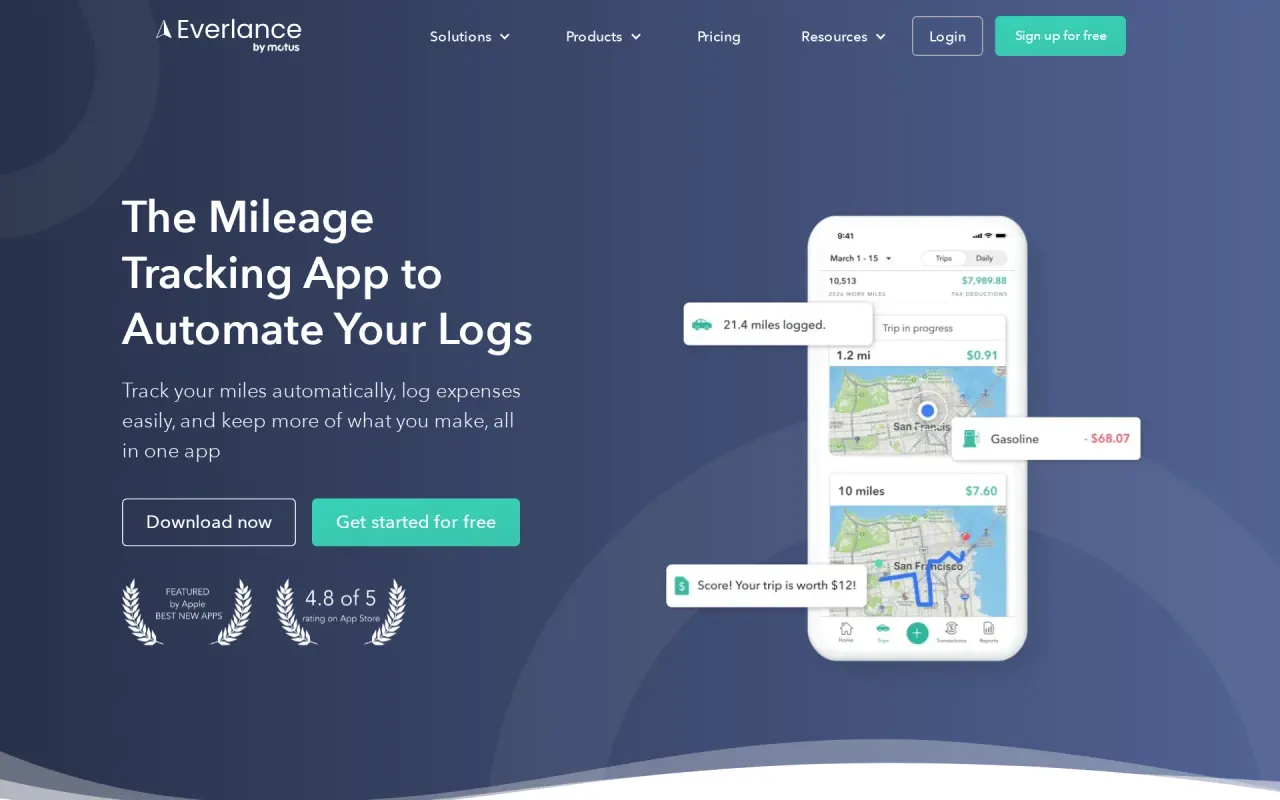
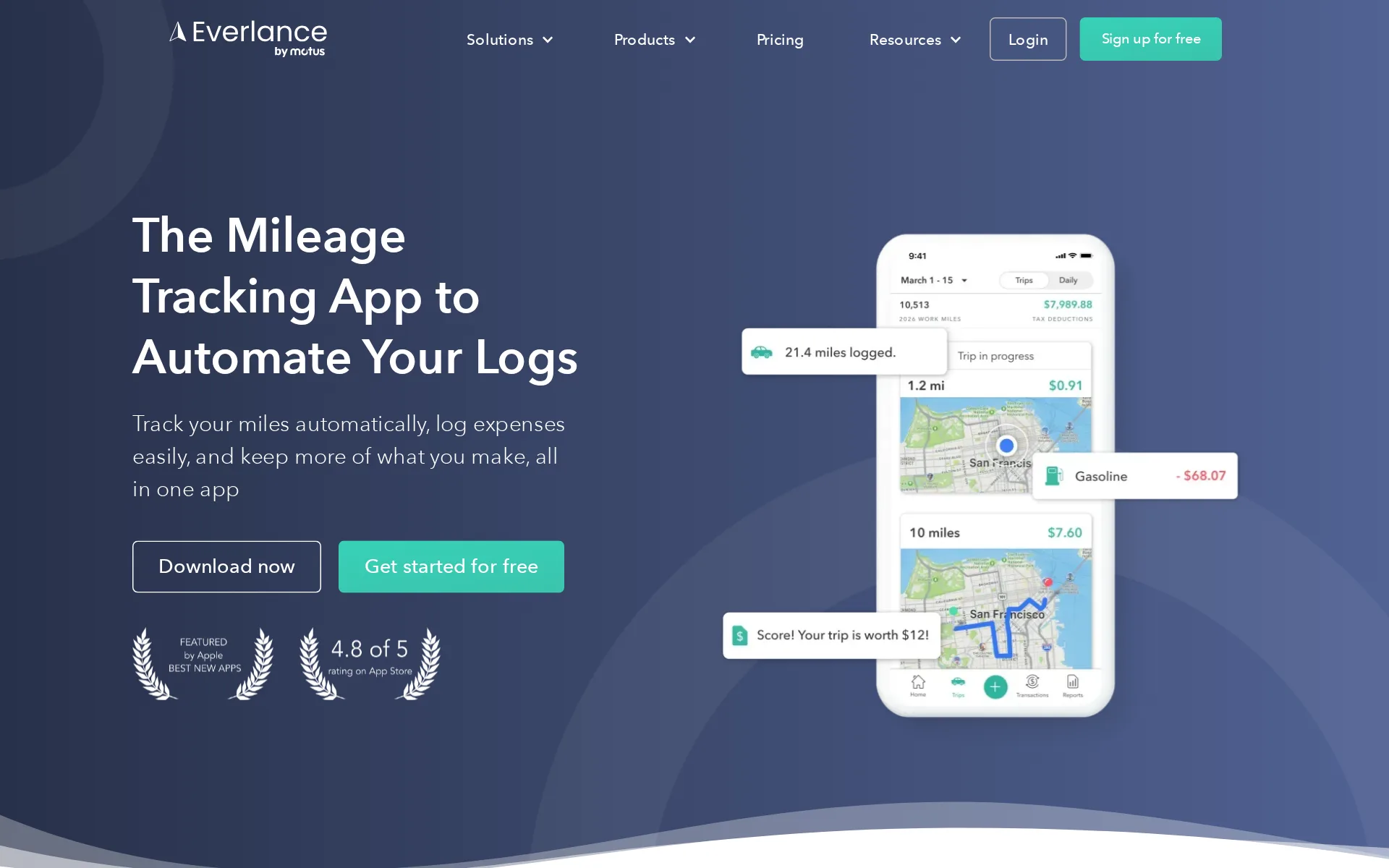
This is the core product: GPS auto-detection records drives by itself and a swipe classifies each trip as work or personal for an IRS-compliant log.
With Everlance, simply drive while we handle all the mileage tracking for you automatically, using the GPS that's already in your pocket
everlance.comChecked
For accounting firms
The self-employed line has no multi-client or white-label firm tier; accountants are served only as recipients of a client's emailed data export.
Everlance is designed for single users, meaning you can't be logged into the same account on multiple devices.
Several businesses
One account is one user, so separate entities need separate subscriptions; within an account custom purposes and tags can separate business lines in reports.
Each person needs their own account for optimal functionality.
Canada
1,500+ bank and credit card institutions supported in the US, Canada, UK, Australia and New Zealand.
On the page: Modernize your expense management, 'Connect multiple cards' card
Australia
Sold to US and Canadian users (two support lines, banks in both countries, plus UK, Australia and New Zealand institutions), but tax filing and mileage logs are US and IRS-specific.
On the page: Modernize your expense management, 'Connect multiple cards' card
Free trial or free plan
A standing free Basic plan gives 30 auto-detected trips a month with no card required, and every paid plan also carries a 7-day trial.
On the page: Frequently Asked Questions, 'Can I use Everlance for free?'
everlance.com/pricingChecked
Sign up without a sales call
You sign up in the app or on the web and start a trial yourself; no sales call or demo booking is required for any self-employed plan.
Yes. All new users can sign up for a 7-day free trial of Everlance Starter to see how it works and decide if it's right for you. You will need to…
everlance.com/pricingChecked
Contract and cancelling
Monthly or annual billing and you can switch at any time, but canceling means emailing support at least 7 days ahead and all sales are non-refundable.
Cancellations received with at least 7 days prior notice are effective at the end of the then-current subscription period; cancellations received…
Support
Email on every plan, with phone and chat added on Starter and Professional; staffed 9am-5pm EST on weekdays and 9am-1pm EST at weekends.
reach out at support@everlance.com or by phone at (872) 814-6308 (USA) or (877)704-2687 (CAN). Our office hours are 9am-5pm EST Monday - Friday and…
Everlance alternatives
All 9 alternatives6 more alternatives
All 9 publish a price.
- DextFrom $31.50 a monthCaptures receipts, invoices and statements, codes them and publishes to QuickBooks, Xero or Sage.
- QuickBooks OnlineFree, then $38 a monthIntuit's cloud ledger, now with Intuit Intelligence agents that categorize, reconcile and flag errors.
- ExpensifyFree, then $5 a seat a monthReceipt scanning, company cards, bill pay and reimbursements that feed QuickBooks, Xero or NetSuite.
- Zoho ExpenseFree, then $4 a seat a monthTravel, expense and corporate card management with Zia AI receipt capture, from $4 per user a month.


Sources and changes
Last changed
Sources12
- everlance.com/pricing
- everlance.com/terms-of-service
- help.everlance.com/hc/en-us/articles/45326190285723-Everlance-for-Partners-Couples-Deciding-Which-Plan-is-Best-for-You
- everlance.com/expense-management
- help.everlance.com/hc/en-us/articles/45327076176923-How-to-Import-Trips-and-Transactions-History
- everlance.com/
- help.everlance.com/hc/en-us/articles/45326067878171-How-to-Contact-Customer-Support
- help.everlance.com/hc/en-us/articles/45326143653915-Can-Everlance-Scan-Receipts
- help.everlance.com/hc/en-us/articles/45326450004251-What-is-Tax-Filing
- help.everlance.com/hc/en-us/articles/45326657936283-How-to-Send-a-Data-Export-to-Your-Accountant
- help.everlance.com/hc/en-us/articles/45327059567259-Does-Everlance-Support-Other-Currencies
- everlance.com/self-employed
What changed on this page1
- Bookkeeping features, free plan, plan limits, prices, terms
Is this yours?
Make it yours for free, then check who reads this page, marked as verified. You confirm it with an email at everlance.com.
Report an error if a fact is wrong.